
Themes by example
A theme re-colours a file without a second export: one .lottie, several looks, picked by the player, your page or a state machine. AXO has no theme presets: a theme is a column you add in the Studio's Slots and themes tab, and each cell overrides one slot (a colour or a number the comp exposes). The pictures use the sample comp Toggle switch.
Try it: Click the switch and the theme chips. How it works: Ocean and Sunset change accent only; Night also darkens track. A theme restates every other slot at its default, so going back from Night leaves nothing dark behind. The file is the .lottie the panel wrote, played by dotlottie-web, the player a web page uses.
Loading the player…
How themes are made
- Expose what should change as slots: colours in After Effects' Essential Graphics, or Add a token in the tab (see Tokens and themes).
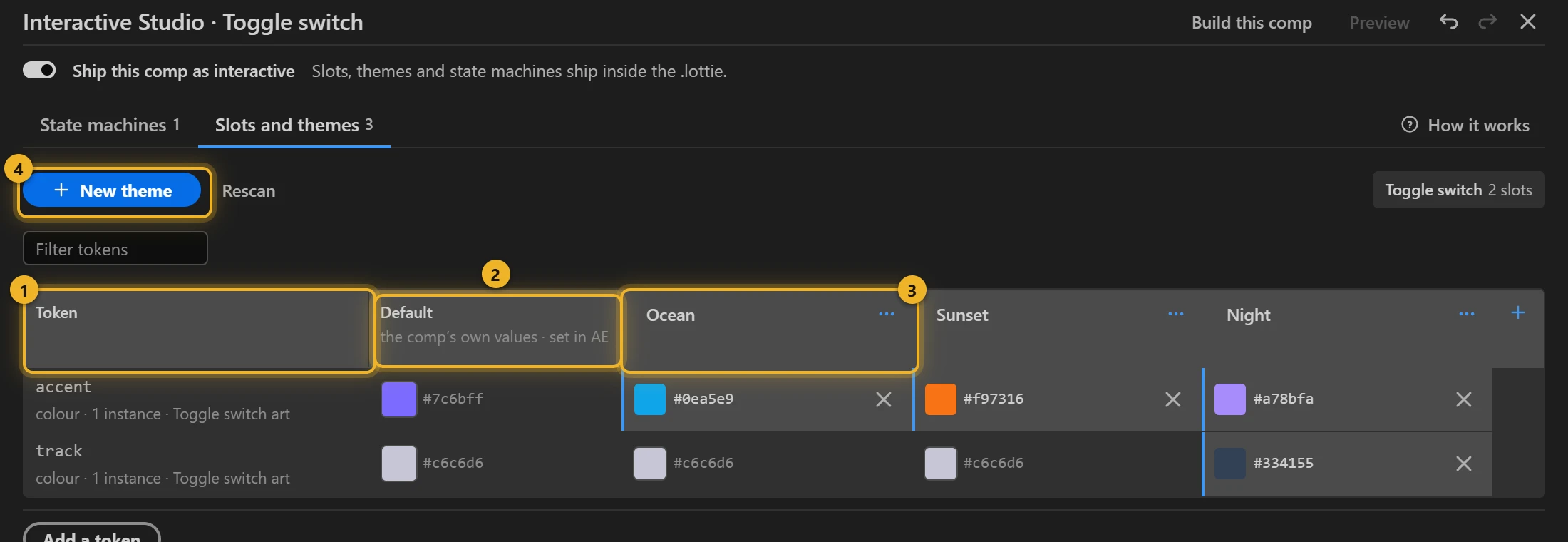
- New theme 4 adds a column 3. Every slot 1 starts at the comp's own value 2; change only the cells this variant needs.
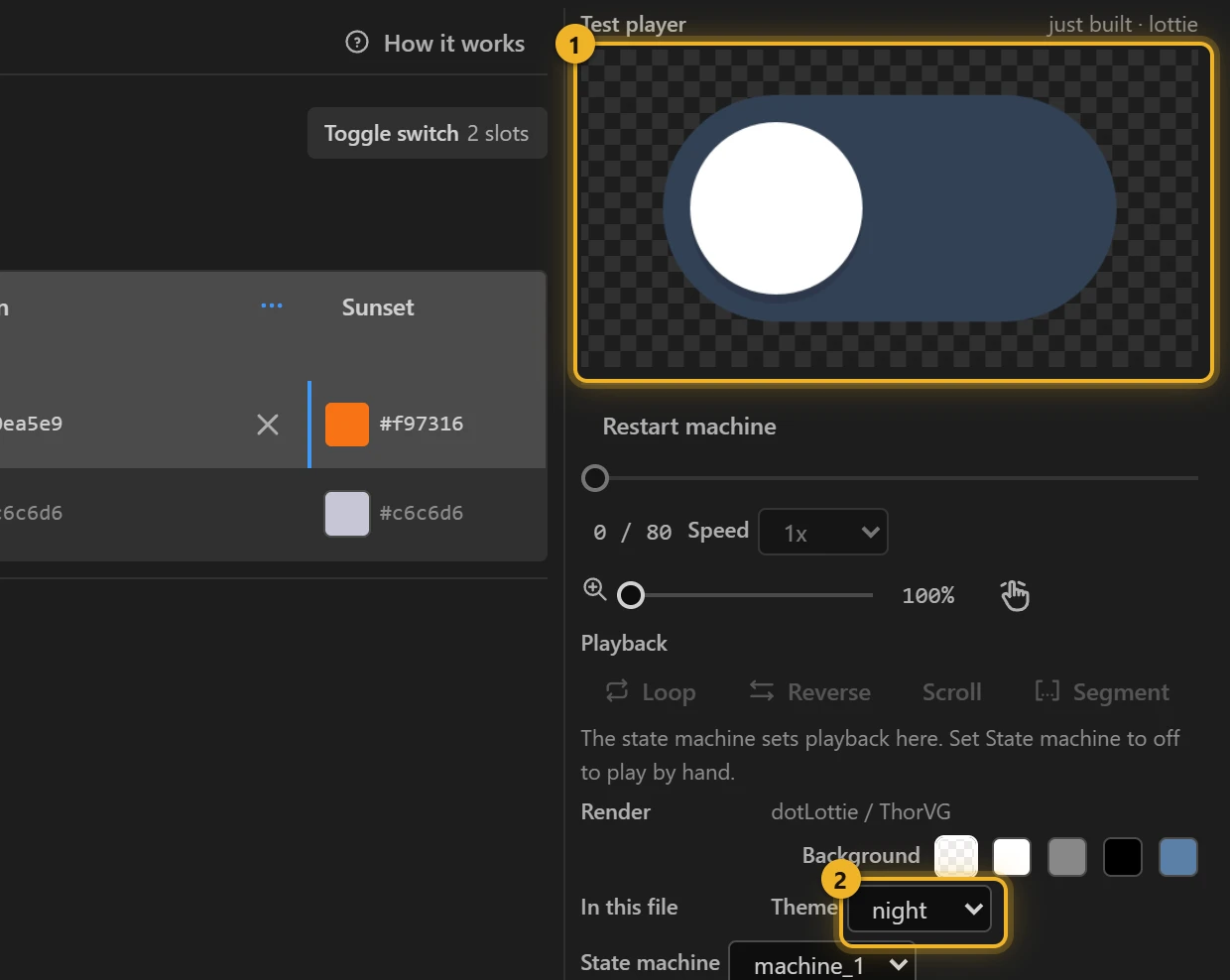
- Build this comp, then pick the theme under Theme 2: the Test player 1 re-colours the file that was just written.
Four common cases
| Case | What changes | In the samples |
|---|---|---|
| Colour variants | One accent slot, a column per colour. The rest keeps its defaults. | Toggle switch: Ocean and Sunset change accent only. |
| Dark / light | Every slot that sits on the background: outlines, tracks, text. | Like button: Dark lightens outline; Toggle switch's Night darkens track and changes accent. |
| Brand | The same slot names across several files, so one theme id — brand — re-colours them all. | Name the slots the same in every comp (accent, surface, text). |
| Values, not colours | A number, a position or a scale: opacity, rotation, where a badge sits, how big an icon is. | Themes lab — see Every kind of slot. |
A theme only writes the slots it changes plus every other themeable slot at its default. That is what lets a page switch from Night back to Ocean without Night's dark track staying behind.
Numbers, positions, scales and animated slots have their own walk-through: Themes lab: every kind of slot.
On a web page
html
<canvas id="toggle" width="240" height="140"></canvas>
<script type="module">
  import { DotLottie } from "https://cdn.jsdelivr.net/npm/@lottiefiles/dotlottie-web@0.81.0/+esm"; // the version these pages use
  const player = new DotLottie({ canvas: document.getElementById("toggle"), src: "Toggle switch.lottie" });
  player.addEventListener("load", () => {
    player.setTheme("night"); // the theme's id, as the Studio's Theme picker lists it
    player.stateMachineLoad("machine_1");
    player.stateMachineStart();
  });
  // Follow the page's dark mode:
  // matchMedia("(prefers-color-scheme: dark)").addEventListener("change", (e) => player.setTheme(e.matches ? "night" : "ocean"));
</script>
The player does not apply a theme by itself when the file loads; call setTheme after load, as above.
From a state machine
A state can switch the theme as it is entered: pick the state, Action → Switch theme, choose the theme. A toggle can then change colour when it turns on, without a second animation.