
Export settings
Build › Export settings applies to every comp. A comp's own Settings (on its row) overrides it for that comp, and a dot on the row shows that an override exists.
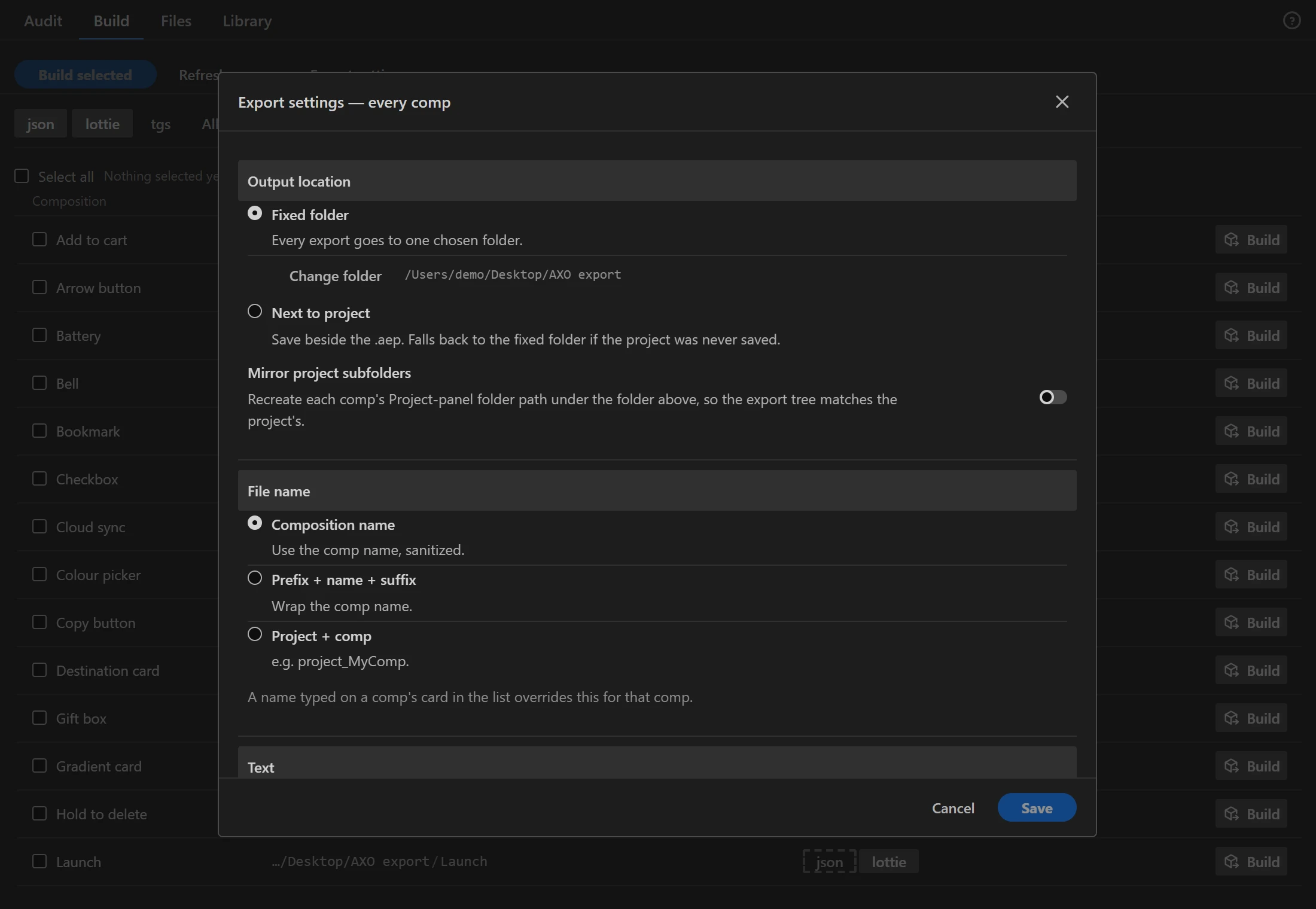
Output location
- Fixed folder: every export goes to one chosen folder.
- Next to project: beside the .aep. If the project was never saved, the fixed folder is used.
- Mirror project subfolders: recreates each comp's Project-panel folder path under the folder above, so the export tree matches the project.
File name
- Composition name (cleaned of characters a file name cannot have), Prefix + name + suffix, or Project + comp (
project_MyComp). - A name typed on a comp's row in the list overrides this for that comp.
Text
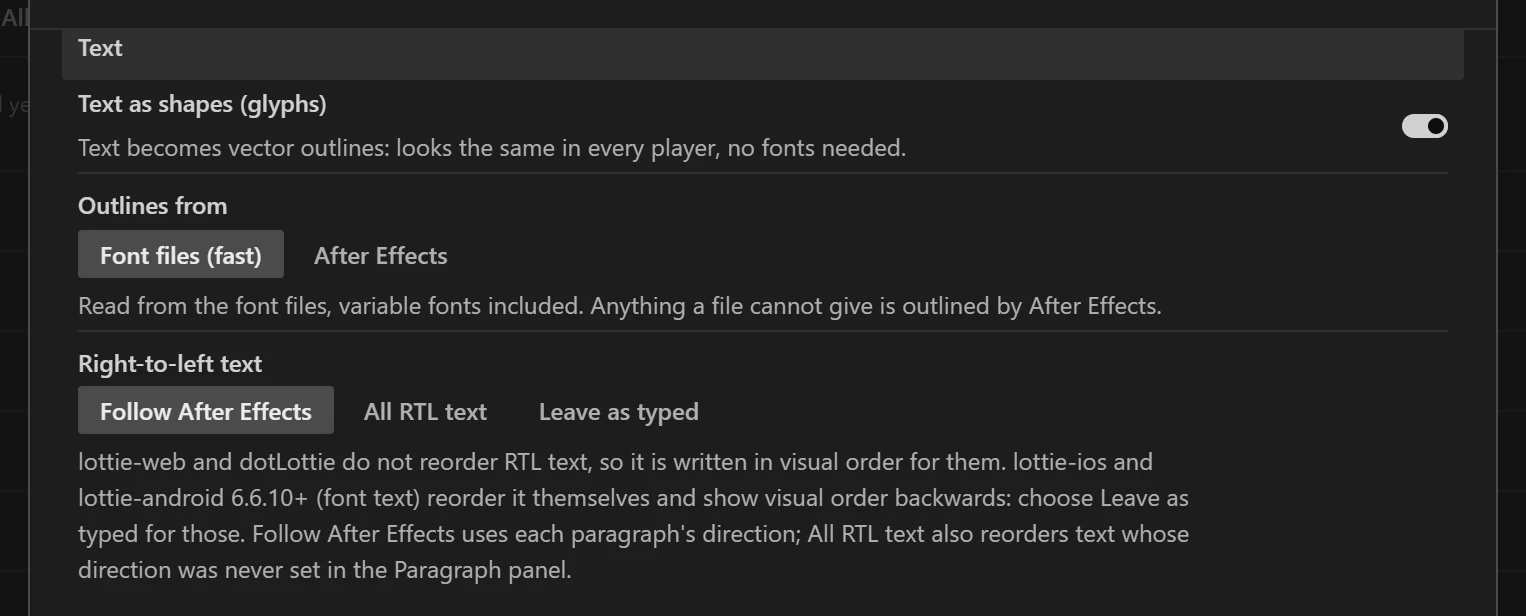
- Text as shapes (glyphs): text becomes vector outlines. It looks the same in every player, and no fonts are needed.
- Outlines from
- Font files (fast): outlines are read from the font files, variable fonts included. After Effects outlines anything a file cannot provide.
- After Effects: After Effects outlines every character. Slower, but it matches After Effects' own kerning exactly.
- Fonts (when text stays live)
- Map to web fonts: before each build, a window lists the fonts so you can link each one to Google Fonts or a font file URL. Only lottie-web loads them; dotLottie players ignore links. Use Google Fonts fills in the link and keeps any CSS overrides (family, weight, style) you already typed.
- Embed the file: the font file travels inside the animation and works in every player. dotLottie (ThorVG) ignores fonts installed on the viewer's computer and font links, so live text there needs this option (or glyphs). A site that ships the font files itself can instead register each style under its PostScript name:
DotLottie.registerFont("SegoeUI-Semibold", "/fonts/seguisb.ttf"). Variable, substituted and missing fonts are skipped with a reason; Adobe Fonts are embedded with a licence note.
- Right-to-left text: lottie-web and dotLottie do not reorder RTL text, so AXO writes it in visual order for them. Choose Follow After Effects (each paragraph's direction), All RTL text (also text whose direction was never set), or Leave as typed (for lottie-ios and lottie-android 6.6.10+, which reorder it themselves). SVG and GSAP text drawn by the browser always keeps the typed order, because the browser reorders it. When a layer whose text is reordered also has a text animator, the build warns you: After Effects counts characters from the right in right-to-left text and players count from the left, so a letter-by-letter reveal starts from the other end. Check it in the preview, or animate the whole layer instead.
Expressions and layers
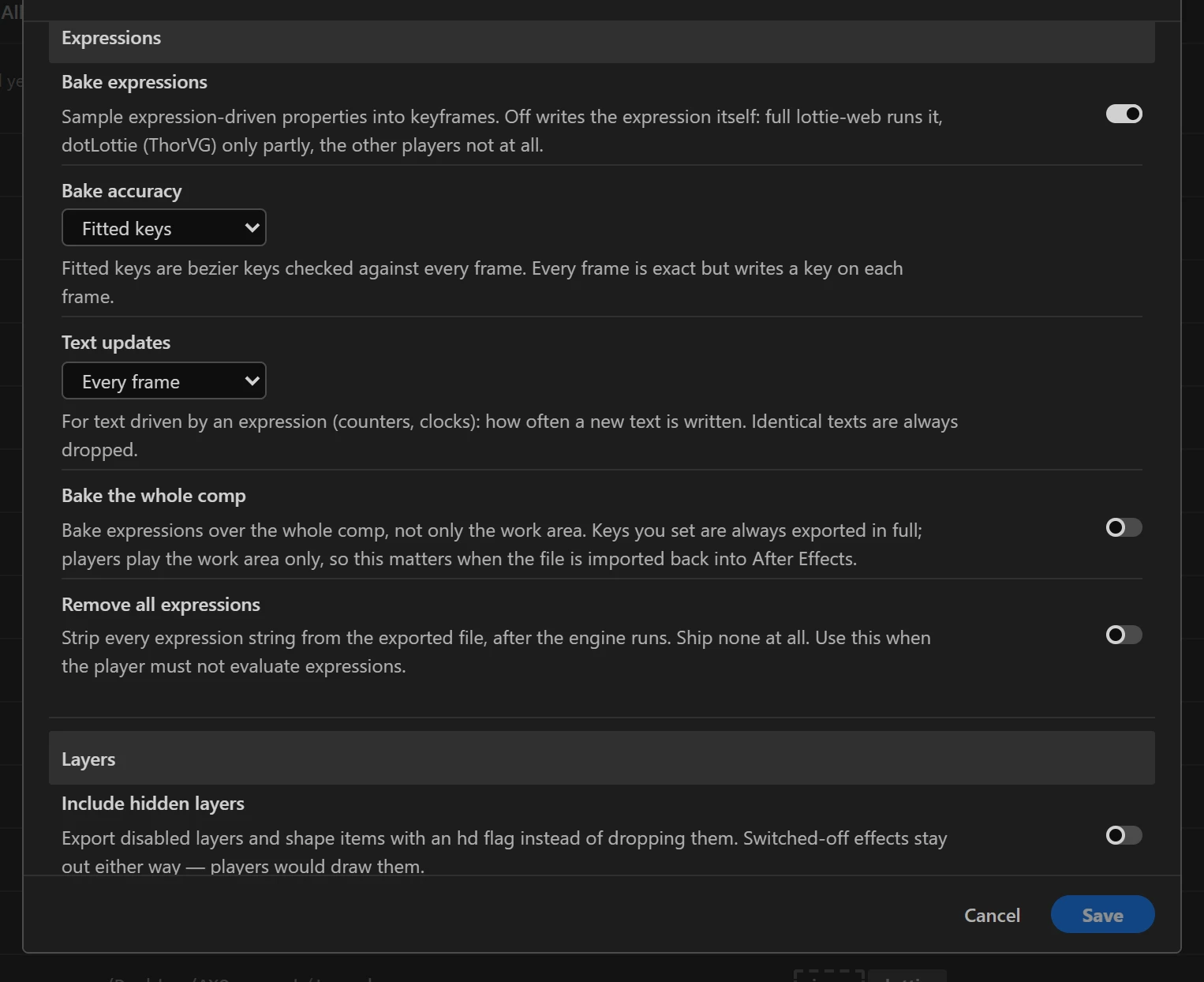
- Bake expressions: samples expression-driven properties into keyframes. When it is off, the file carries the expression itself: full lottie-web runs it, dotLottie (ThorVG) runs it partly, and the other players do not run it.
- Bake accuracy: Fitted keys (bezier keys checked against every frame), Fitted keys, high precision, or Every frame (exact). It is the same bake as the audit's repair, so a comp baked in After Effects and one baked on export get the same keys. A position is fitted as a curved path with a few keys. Bakes over 9000 frames are sampled more sparsely so they do not stop short.
- Text updates: for text driven by an expression (a counter, a clock), how often a new text is written, from every frame to every 6th. Baking writes the text After Effects shows, so the number changes in every player, not only in lottie-web. Identical texts in a row are dropped.
- Bake the whole comp: bakes expressions over the whole comp, not only the work area. Keys you set are always exported in full. Players play the work area only, so the rest matters when the file is imported back into After Effects. The optimizer can drop keys that are never seen (Trim off-screen keyframes in Optimize).
- Remove all expressions: strips every expression from the file after the export, for players that must not evaluate expressions.
- Include hidden layers: exports disabled layers and shape items with a hidden flag instead of dropping them. Effects you switched off stay out: a Lottie player has no flag for a switched-off effect, so it would draw the effect anyway. Switch fx back on in After Effects if you want them.
- Include guide layers: exports guide layers instead of skipping them.
- Extra comps: lists the comps that an expression reads (for example through
comp("Name")), with the layer and property that read them, so they can travel with the file. A comp that is also in the layer tree is listed too, because web players find a comp read this way reliably only in a bundled copy (the canvas renderer never looks inside the layer tree). Only lottie-web reads them. dotLottie players do not runcomp("Name")at all, so keep Bake expressions on for them.
Images
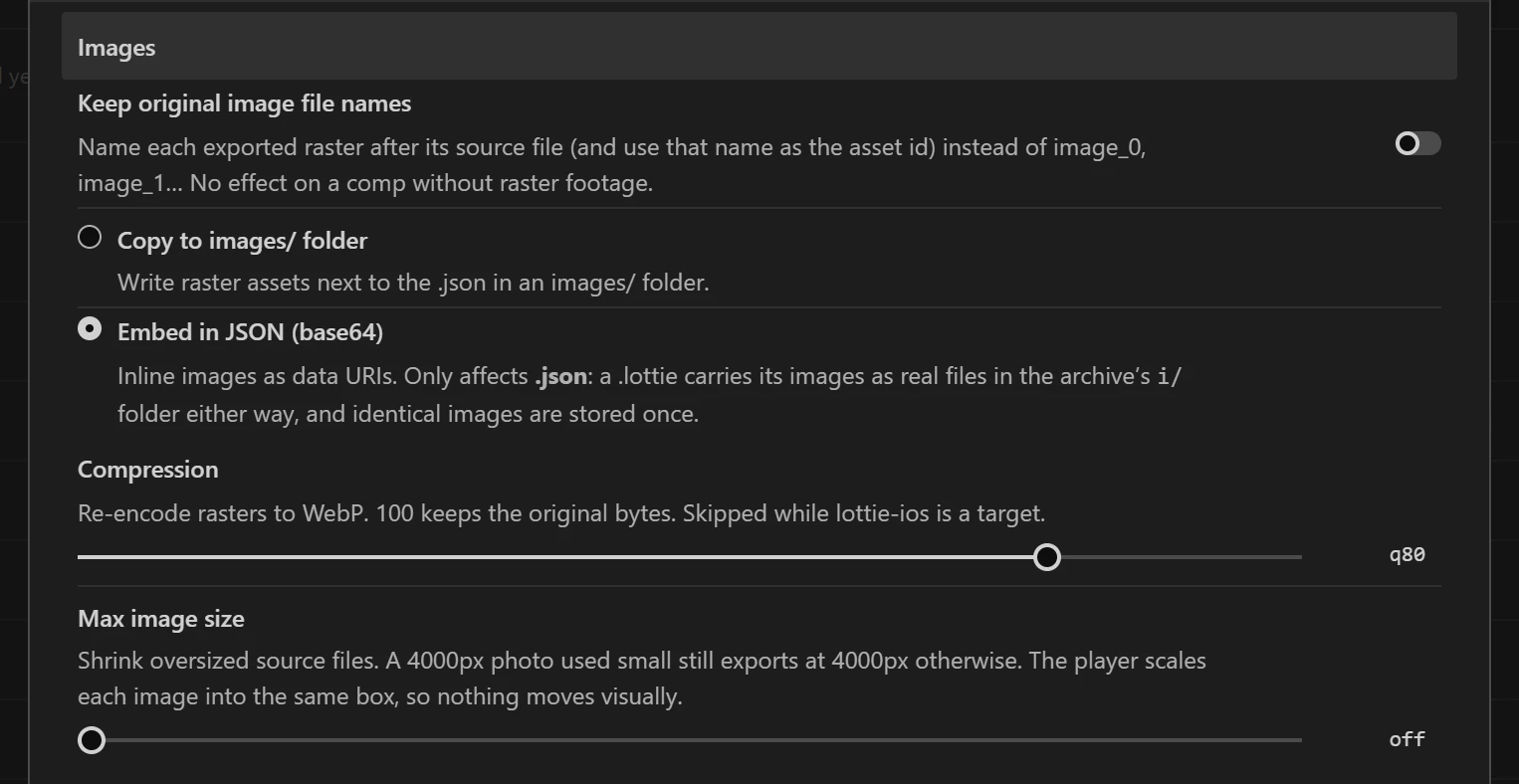
- Keep original image file names: names each exported image after its source file instead of
image_0,image_1… - Copy to images/ folder or Embed in JSON (base64). A .lottie always carries its images as files inside the archive, and stores identical images once.
- Compression: re-encodes images to WebP at the chosen quality (100 keeps the original bytes). Skipped while lottie-ios is a target.
- Max image size: shrinks oversized sources, so a 4000 px photo used at a small size does not export at 4000 px.
Compression and Max image size also apply to the frames of a video, GIF or image-sequence layer (Build): at 100 the frames are lossless PNG, below it WebP.
Audio
- Include audio layers: each audio layer's sound file ships whole: embedded in a base64 .json, beside it in
images/in folder mode, or inside the archive in a .lottie. Players start it where the layer starts, and Audio Levels become its volume (keyframes included). It is off by default, because most web animations are silent and sound is heavy. - Convert to MP3: re-encodes every sound to MP3 at the chosen bitrate (a CD-quality WAV is about seven times the size of a 192 kbps MP3). It needs ffmpeg, the same free tool the GIF, WebM, AVIF and WebP exports use; without it the setting is off and says where to set the path. MP3, WAV, M4A and OGG play in every browser as they are. Other formats, such as AIFF, are converted whenever ffmpeg is set; without it, the build tells you that layer will be silent.