
Sequence: an onboarding card with a Next button
Three steps, a blue Next button, a Back button and three page dots: step 1, a click, step 2, a click, step 3. The Sequence template chains your segments: when one finishes, the next starts, all by itself. Here each wire was then switched to wait for a click on Next, and a few rules added Back and the dots, which is what a person expects from an onboarding card. The pictures use the sample comp Onboarding (folder Interactive examples).
Try it: Click the blue button. On the last step it shows a check; one more click starts over. Click Back, or a page dot to jump straight to its step. How it works: Every wire is a click on one layer: Next, Back, Dot 1, Dot 2 or Dot 3. One click on a layer fires one event, and only the step that is playing moves on, so the same Back click takes step 3 to step 2 and step 2 to step 1 (on step 1 it does nothing). Left as the template made them, the wires would read finishes and the steps would play one after another without a click. The file is the .lottie the panel wrote, played by dotlottie-web, the player a web page uses.
Loading the player…
In After Effects
- One marker per step, in the order they play, each ending one frame before the next begins:
step-10–59,step-260–119,step-3120–179. - Why one frame short: the player plays a segment through its last frame and stays there while it waits for the click. A
step-1that ended on frame 60 would wait onstep-2's first frame: an empty card. - Each step animates its own content in and ends on a pose worth holding: here, the card waits there until the click.
- Every button is a layer of its own:
Next,Back, and one layer per page dot,Dot 1–Dot 3(a click hits a layer's box, so it must not enclose anything else; each dot carries a transparent 20 × 20 square so it is easy to hit). - The card that was showing does not animate out. A segment starts at its own first frame, and it cannot know which step came before: Next, Back and a dot all land on the same frame. So each step's entrance works from any direction: the card fades in from 96 % and the page pill grows on its dot, nothing slides one way. The previous card is simply gone at the cut. For a real exit in the direction of travel, lay the steps out as poses on the timeline and blend between them: the playhead then passes through the frames between, so a card can leave as the next arrives: Pick one does exactly that.
1. Open the Studio
Build → open the comp's row → Interactive → Ship this comp as interactive (and Add .lottie if asked).
2. New machine → Sequence
Press New machine and pick Sequence. It takes every segment, in comp order: one state per step, each wire marked finishes. Build now and the steps play one after another, no clicks. That is the template's own behaviour.
3. Wait for a click on Next
Pick the wire from step-1 to step-2 and set When 1 to click, on the layer Next. Do the same on the wire from step-2 to step-3.
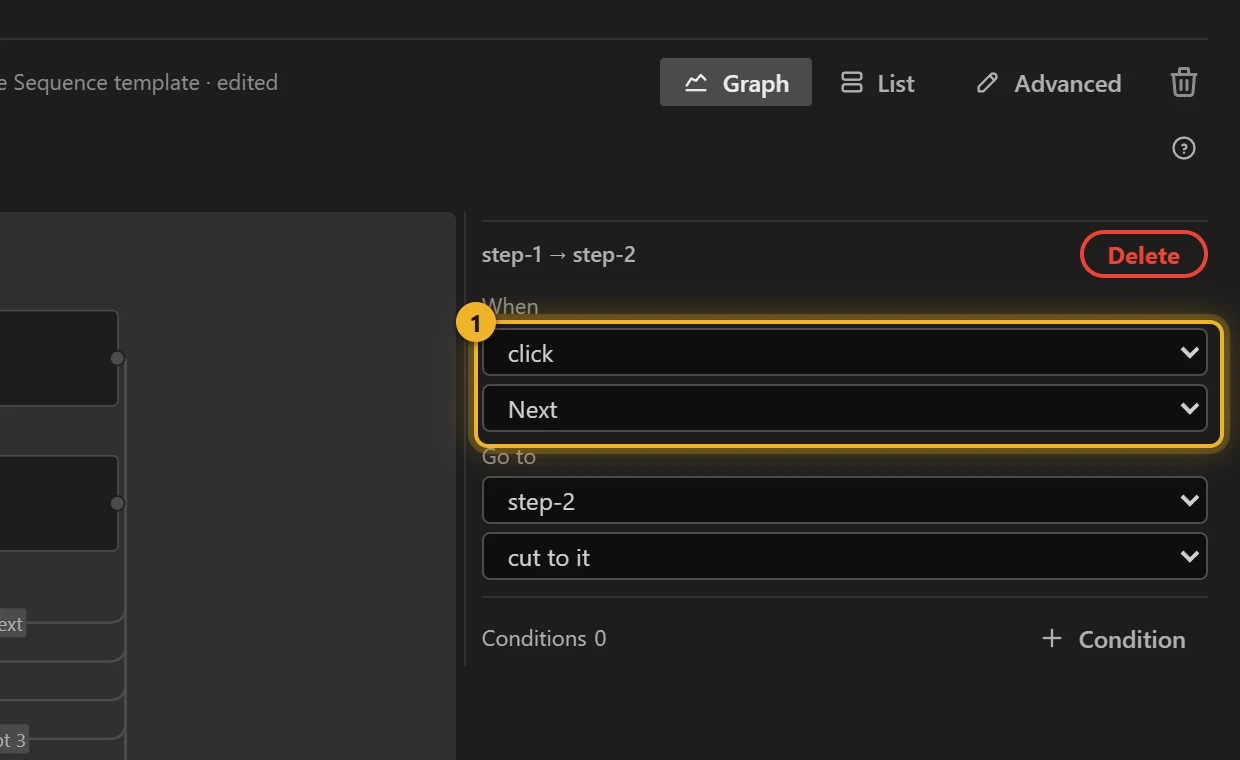
To start over from the last step, select step-3, press + Rule, choose click on Next and go to step-1.
Back and the dots are rules the same way. Select step-2, + Rule, click on Back, go to step-1; on step-3, click on Back goes to step-2. For the dots, each step gets one rule per OTHER dot: on step-1, click on Dot 2 → step-2 and click on Dot 3 → step-3, and likewise on the other two steps. Eight rules in all, and still only five events, one per layer.
4. What you have now
The steps in order 1, each wire a click on a layer 2, and the ones going back 3.
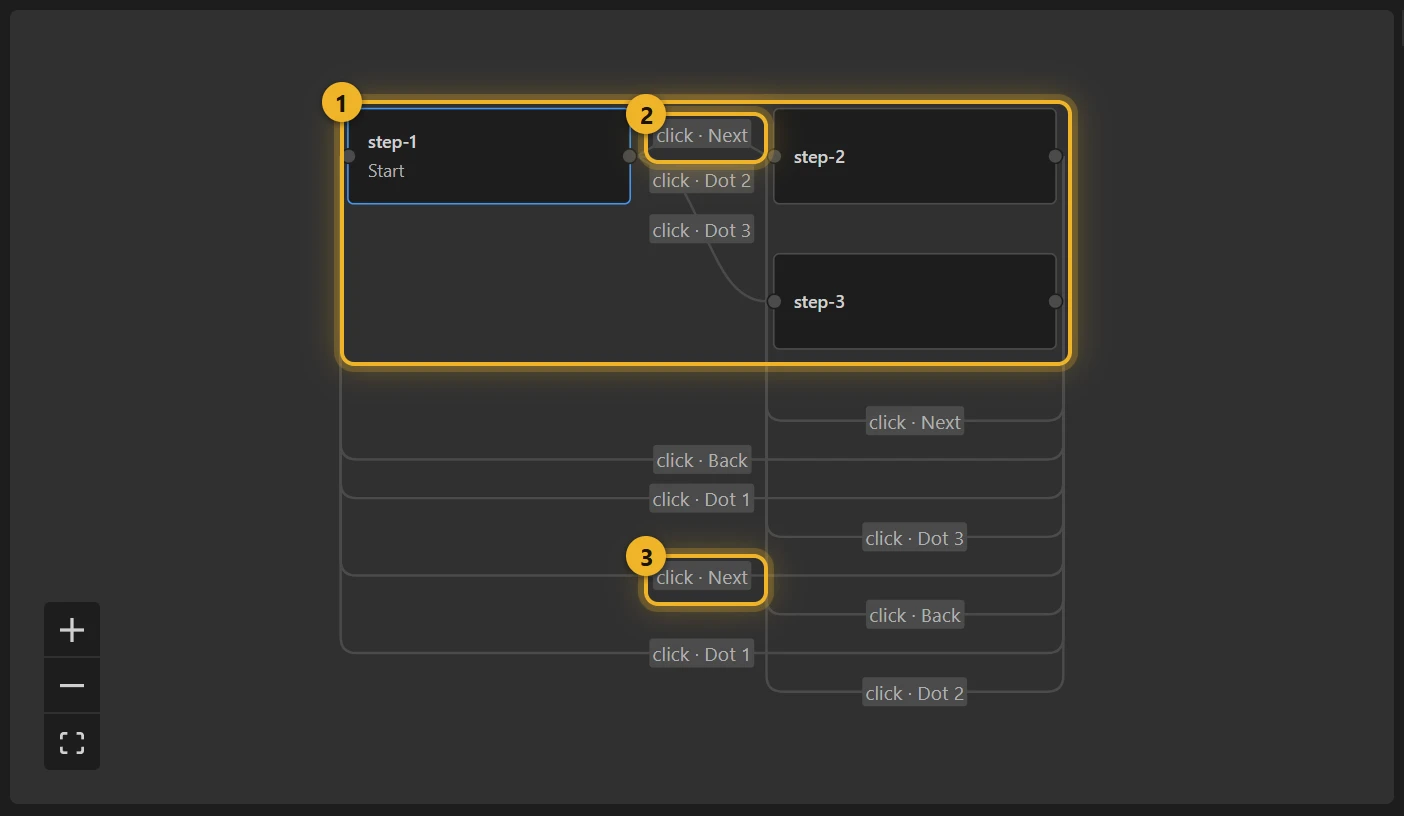
All three rules wait for the same click: the panel wires one Next click to one event, and only the playing step listens, so a click moves exactly one step on.
5. Build and test
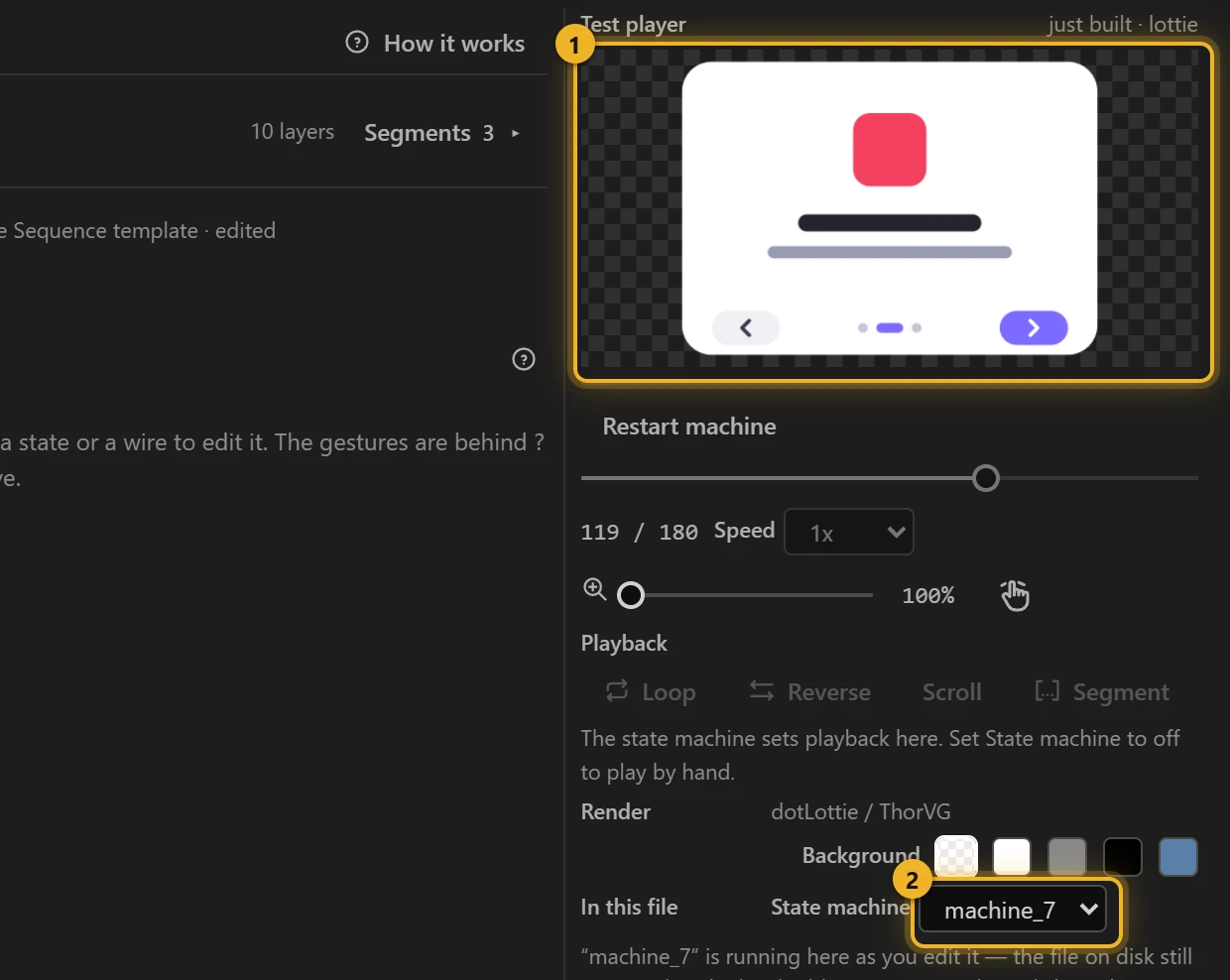
Press Build this comp and click Next in the Test player 1: step 2 fades in and the page pill moves to the second dot. The machine 2 is the one you just built.
6. On a web page
html
<canvas id="onboarding" width="360" height="260"></canvas>
<script type="module">
  import { DotLottie } from "https://cdn.jsdelivr.net/npm/@lottiefiles/dotlottie-web@0.81.0/+esm"; // the version these pages use
  const player = new DotLottie({ canvas: document.getElementById("onboarding"), src: "Onboarding.lottie" });
  player.addEventListener("load", () => {
    player.stateMachineLoad("machine_7");
    player.stateMachineStart();
  });
</script>
Variations
- Feature tours, empty states that explain themselves, a logo that builds in stages.
- No button, just play through: keep the template's finishes wires (skip step 3).
- Your own Back or dots from the page: the events are inputs too:
player.stateMachineFireEvent("_Back_Click")is the same as a click on Back. - The steps should keep cycling on a timer? Carousel moves on every 2 seconds and starts over.