
Idle → action → Idle: a notification bell
The bell sways gently for ever; a click makes it ring once, a badge pops, and then it goes back to swaying. The Idle → action → Idle template loops one segment and plays another once on a click. The pictures use the sample comp Bell (folder Interactive examples).
Try it: Click the bell. How it works: idle loops until a click fires value_go; ring plays once, and its end fires value_done, which returns to idle. The file is the .lottie the panel wrote, played by dotlottie-web, the player a web page uses.
Loading the player…
In After Effects
- Two markers, each with a duration:
idle0–60 (a loop; its last frame matches its first),ring60–150 (the action, ending whereidlebegins). - Names help: a marker called idle, loop or rest is taken as the loop, one called action, click or play as the action. Anything else goes in comp order.
1. Open the Studio
Build → open the comp's row → Interactive → Ship this comp as interactive (and Add .lottie if asked).
2. New machine → Idle → action → Idle
Press New machine and pick Idle → action → Idle.
3. What the template built
idle 1 is the start: it loops its segment. A click 2 goes to ring, which plays its segment once 3. When it finishes 4, the machine goes back to idle.
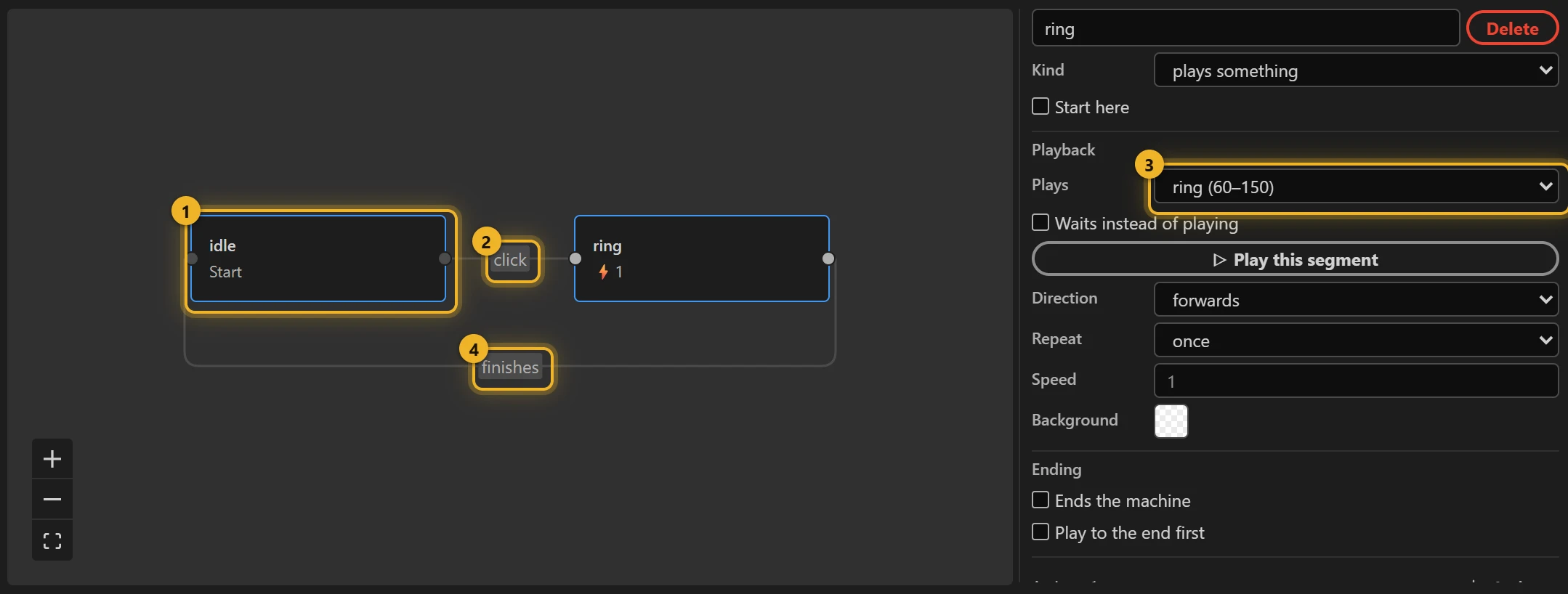
The click fires an event, value_go; the finish fires value_done. Your code can fire value_go too, for example to ring the bell when a real notification arrives.
4. Only the bell clickable (optional)
Pick the click wire and change anywhere on the animation to the bell's layer, so a click on the badge area around it does nothing.
5. Build and test
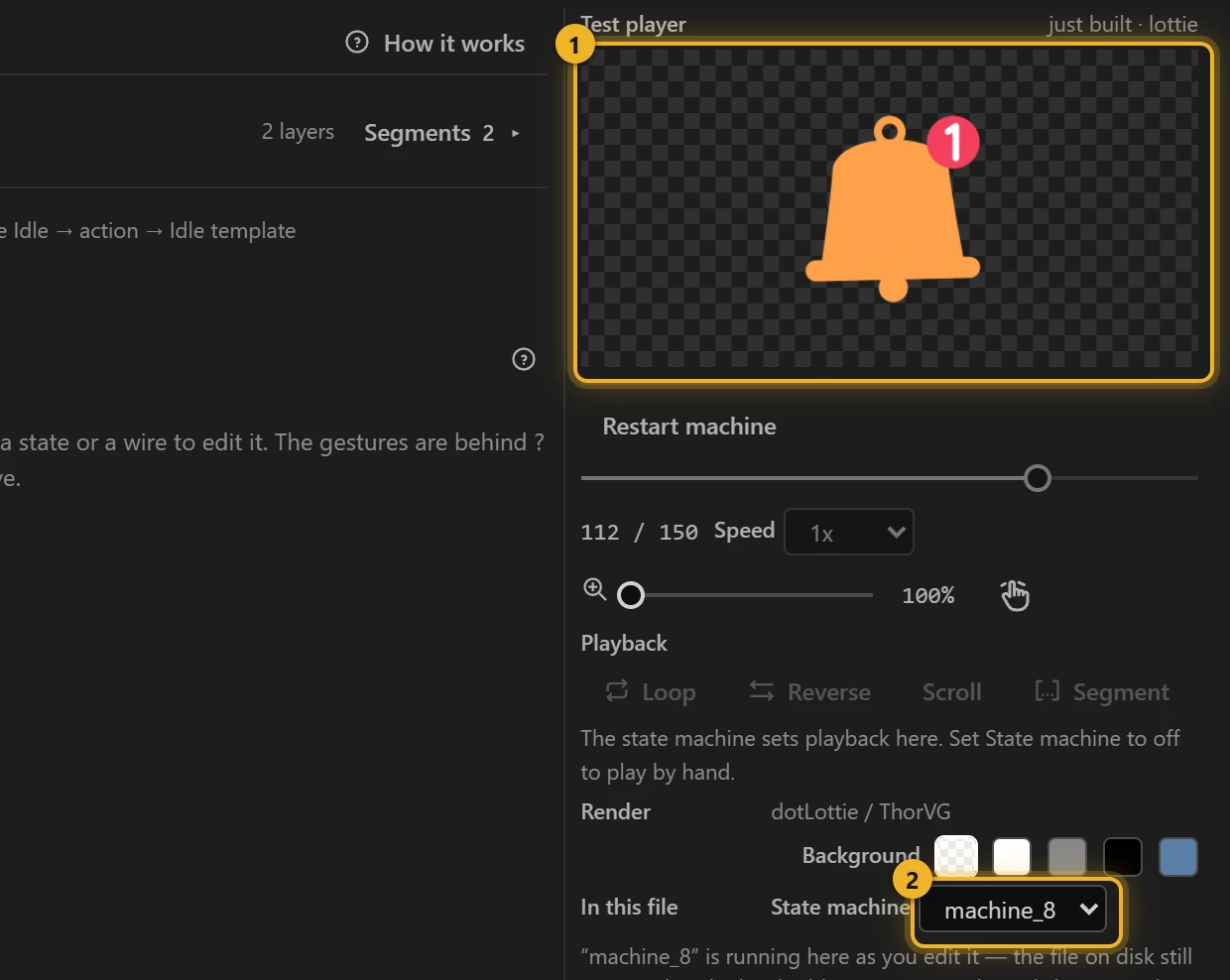
Press Build this comp and click the bell in the Test player 1: it rings, then sways again. The machine 2 is the one you just built.
6. On a web page
html
<canvas id="bell" width="240" height="240"></canvas>
<script type="module">
  import { DotLottie } from "https://cdn.jsdelivr.net/npm/@lottiefiles/dotlottie-web@0.81.0/+esm"; // the version these pages use
  const player = new DotLottie({ canvas: document.getElementById("bell"), src: "Bell.lottie" });
  player.addEventListener("load", () => {
    player.stateMachineLoad("machine_8");
    player.stateMachineStart();
  });
  // A new notification arrived:
  // player.stateMachineFireEvent("value_go");
</script>
Variations
- A mascot that waves when clicked, an icon that wiggles, a "send" button that flies off and comes back.
- The action should run while the button is held? Button plays pressed on pointer down and release on pointer up.
Copy → Copied
Loading the player…
The same template on the sample comp Copy button, no change after it. idle (0–30) is a still frame: the template loops it, and a button that waits should not move. copied (30–150) swaps Copy and its icon for Copied and a tick on green in 200 ms (ease-out), holds it 1.3 s and swaps back: the confirmation's length is the segment's length. A click during copied is ignored: only idle listens. Copy the text from your page and play the confirmation from there:
js
button.addEventListener("click", async () => {
  await navigator.clipboard.writeText(code.textContent);
  player.stateMachineFireEvent("value_go"); // machine_24 -- the same event a click on the animation fires
});