
Pick one (poses + blend): a tab bar
Click a tab: the highlight slides to it, from wherever it is, past the tabs in between. The Pick one template is Click → segment with one difference: every wire blends, so the playhead travels the timeline from the pose shown to the one picked. The pictures use the sample comp Tab bar (folder Interactive examples).
Try it: Click Profile, then Home, then Search. How it works: a click sets value to the tab's number; the listener blends 0.3 s into that tab's state, whose segment is a pose a frame or two long. A blend plays the frames between the two poses, and on this timeline those frames are the slide. The file is the .lottie the panel wrote, played by dotlottie-web, the player a web page uses.
Loading the player…
In After Effects
- One short marker per pose, in the order they sit on the timeline:
tab-10–1,tab-219–21,tab-339–40. The highlight holds still on each pose and moves between them. - The timeline between two poses is the path. Blending from
tab-1totab-3shows frames 1 → 39, so the highlight passestab-2on the way, like a real control. Put the poses in the order the eye expects. - A layer to click per pose, named after it (
Tab 1fortab-1): the template pairs them by name.
1. New machine → Pick one
New machine → Pick one (poses + blend). Each row pairs a pose with the layer that picks it.
2. What the template built
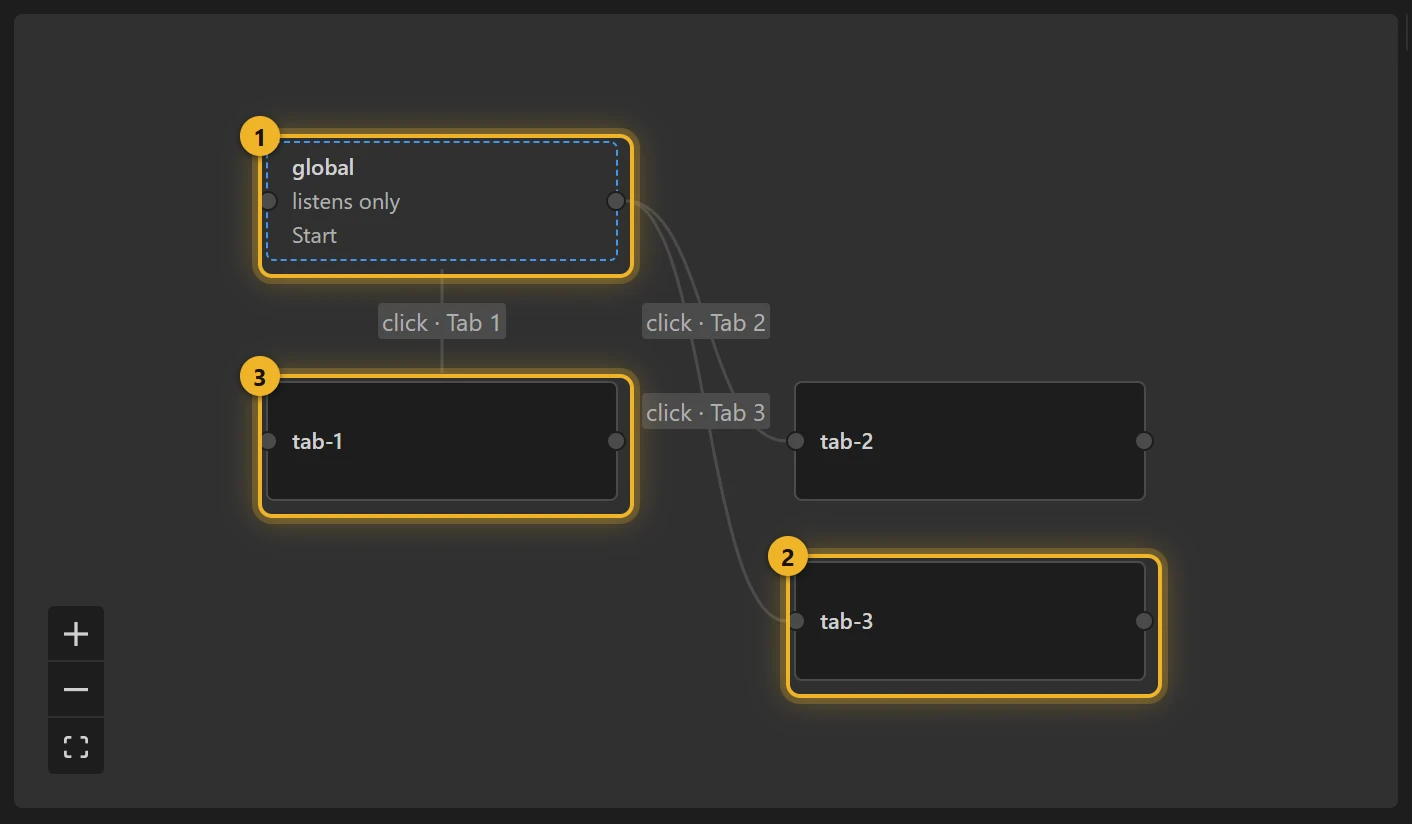
The listener 1 has a rule per pose (value is 2 → tab-2), and every one of them blends into it over 0.3 s 2. Each click on a tab layer sets value 3.
What a blend is, measured: not a cross-fade of two pictures, but the timeline played from the current frame to the first frame of the next segment, in the time given. Where the frames between two poses are a natural path, that is exactly the motion you want; where they are not (a colour picker whose colours sit side by side), it shows the wrong frames on the way, so use Click → segment there.
3. On a web page
js
// the page can pick too:
player.stateMachineSetNumericInput("value", 2); // slides to Search
Variations
- Segmented controls, a slider with stops, a stepper, a carousel's dots: anything whose positions lie along one path.