
Getting started
What you need
- After Effects 2025 (25.0) or newer. Older versions do not list the panel in the Window menu.
- Windows or macOS.
Install
AXO is sold and installed through aescripts + aeplugins. Install it with the aescripts + aeplugins manager, or install the .zxp file with any ZXP installer. Then restart After Effects.
Open the panel from Window › Extensions › AXO. Dock it wherever you like; it works from 565 px wide.
Light, dark or darkest
The panel follows the brightness you chose for After Effects' interface (Preferences › Appearance), so there is nothing to set.
The four tabs
| Tab | What it is for |
|---|---|
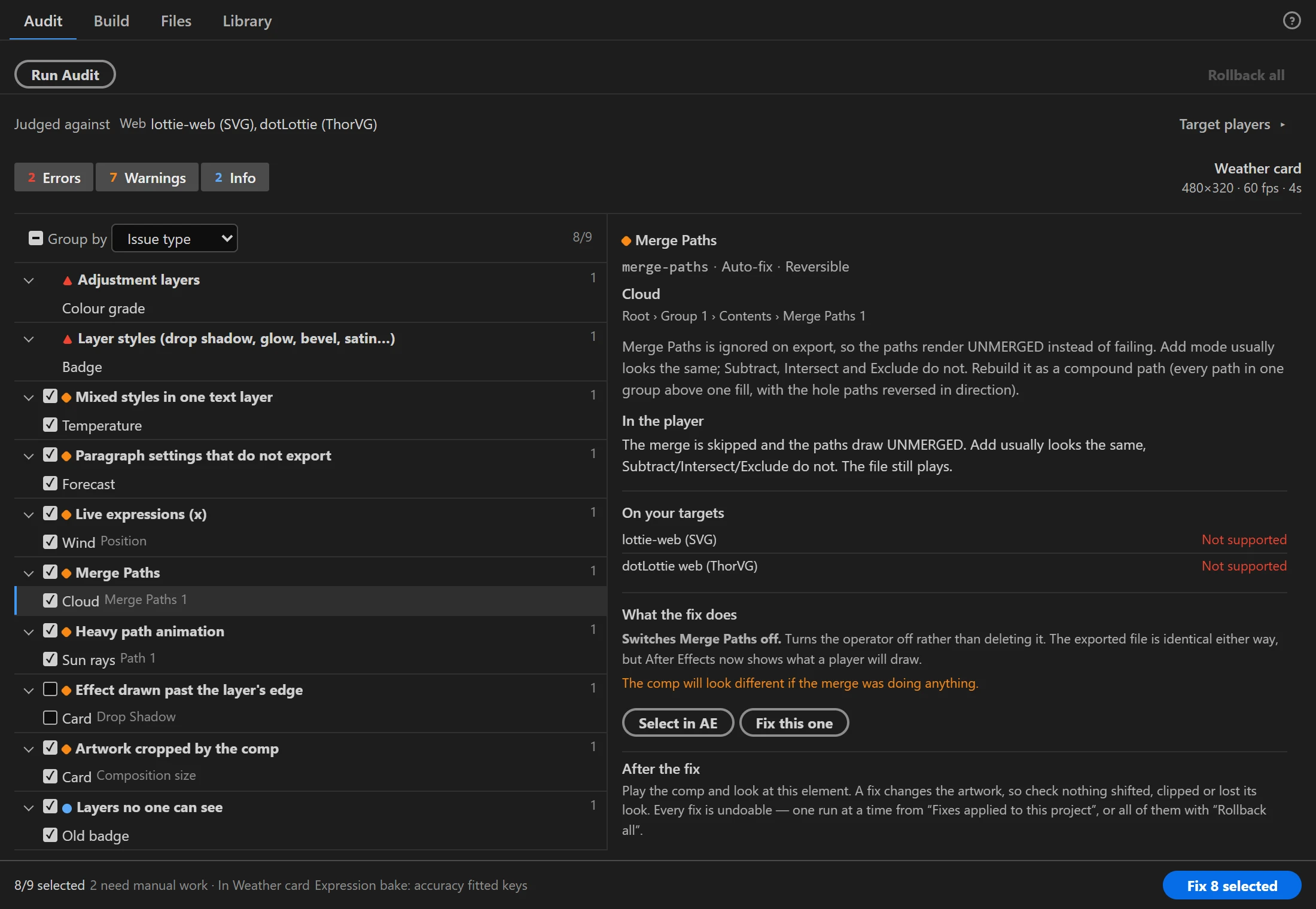
| Audit | The health of the composition you have open: what will not survive the export, and what can be repaired for you. It walks the precomps too. |
| Build | The composition becomes a file: what it carries (images, fonts, expressions, slots) and where it goes. |
| Files | Everything on disk: preview it, optimize it, write it as another format, or import it back into After Effects. |
| Library | The .json and .lottie files you keep, with their tags, themes and segments. |
Preview is not a tab: it opens over the panel from any file in Files, Build or Library. The Interactive Studio opens from a comp in Build.
The usual path
- Open the composition in After Effects.
- Audit › Run Audit. Name your target players first if you know them, because the severities are judged against those players.
- Fix what carries a tick, then look at the artwork. Every fix is undoable, one run at a time or all at once.
- Build writes the file, plus a GIF or video of the comp drawn by After Effects if you tick one. The Lottie file lands in Files, selected and scrolled to.
- Files previews it and optimizes it.
Next
- Audit and fix a comp, step by step.
- What AXO does differently from the stock Bodymovin exporter and the LottieFiles panel.