
Optimizer
AXO's optimizer runs on your computer, with no account and no upload. It works on .json and .lottie files from Files and keeps what makes a file interactive: slots, markers (segments), themes and state machines.
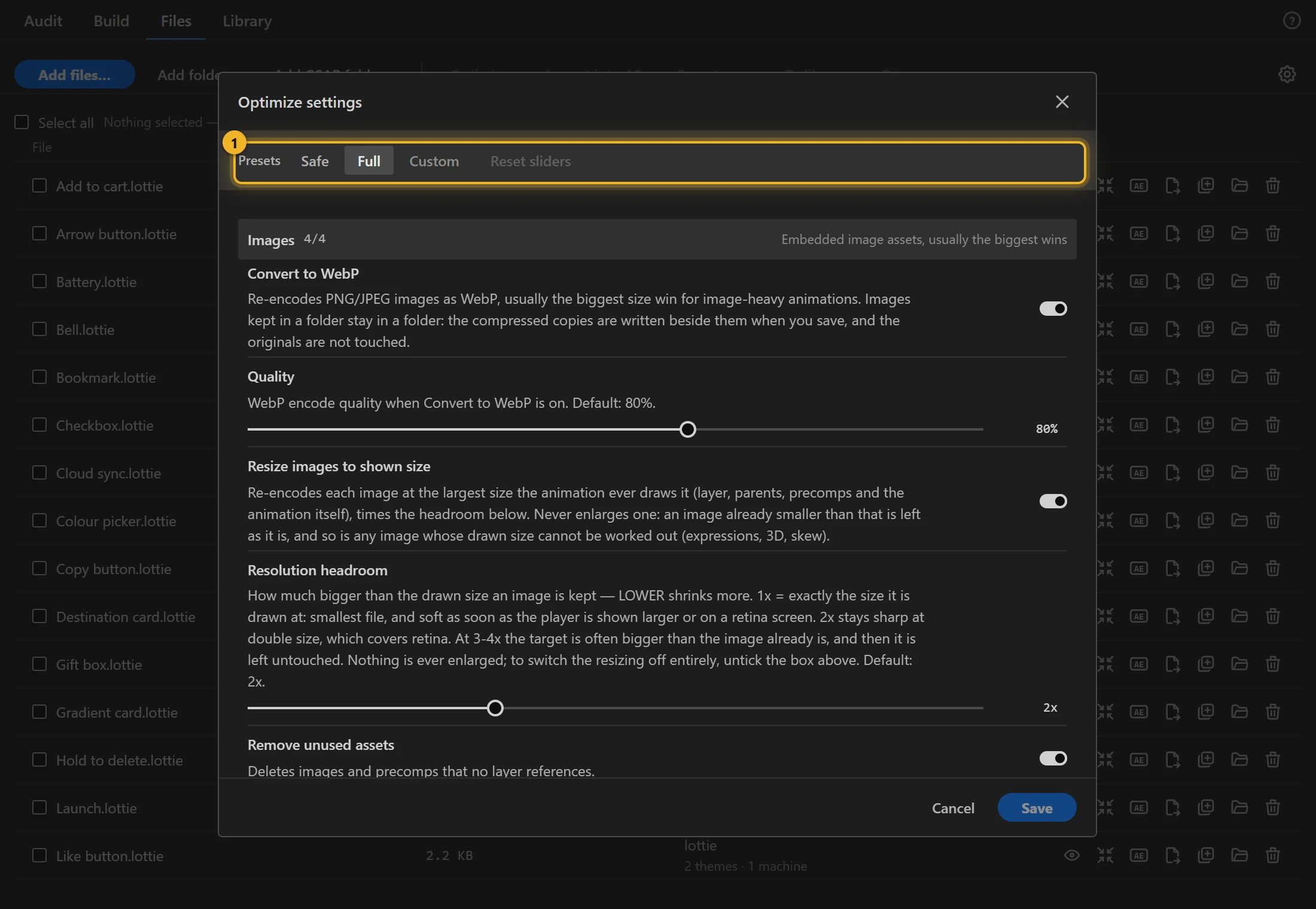
Presets 1
- Safe: every step that cannot change the picture.
- Full: everything, the lossy steps included.
- Custom: shown when your own mix matches neither. Reset sliders puts every slider back to its default and leaves the switches as they are.
Steps, by group
Images usually give the biggest saving.
- Convert to WebP, at a Quality you choose. The switch turns it on; at 100 it still converts, at the highest quality.
- Resize images to shown size: the largest size the animation ever draws the image at, with a Resolution headroom (2× for retina screens).
- Remove unused assets, Deduplicate assets. A video or image sequence exported frame by frame stays frame-exact under every preset, and Deduplicate assets stores a frame that two clips share only once.
Numbers & precision
- Round numbers to a Precision. Per-field precision keeps more digits where the eye would notice (positions) and fewer where it would not. A keyframe whose easing handle reaches outside the normal range (some exporters write a negative influence) keeps its exact time. Players draw a jump right after such a key, and moving the key onto the frame grid would move the jump to another frame.
Keyframes
- Simplify keyframes, Trim off-screen keyframes.
Shapes & layers
- Optimize shapes & paths, Remove redundant shapes, Collapse redundant groups, Optimize gradients, Simplify transforms, Inline single-use precomps, Merge static layers, Remove empty layers.
- Remove hidden layers is off by default, so hidden and guide layers are kept for a round trip into After Effects. When it is on, it also removes switched-off effects, which After Effects does not draw but lottie-web would still apply.
Metadata & cleanup
- Remove comments, Remove metadata, Remove empty markers, Remove defaults, Remove layer names.
Lossy: these change the animation slightly, by an amount you set.
- Thin redundant keyframes within a Keyframe tolerance.
- Simplify paths within a Path tolerance (px).
- Lower frame rate to a Target frame rate (it only lowers). A
.lottiewhose themes or state machine name frame numbers keeps its frame rate.
Check
- Check the picture after optimizing renders the file before and after in ThorVG and switches off any step that changed the picture. When no step explains a difference, the row says "Picture differs"; when the check could not run, it says "Picture not checked".
Saving
Optimizing never touches the original. Save writes the optimized copy next to it, and images kept in a folder get compressed copies beside them.
In the trial
The trial version does not include the optimizer. Optimize in Files shows an estimate instead: roughly how much the full version would save with the Full preset, for example ≈ 45% in the full version. The estimate is usually within a few percent of the real result; the full version shows the exact saving, the comparison and Save. For a file the trial wrote itself, the estimate leaves out the trial watermark.
The sample animations in the trial's Library are the exception. Send one to Files and Optimize shows the real optimized result (the Full preset, run when the trial was built), with the comparison.