
Progress from the page: a battery
Your page sets a number from 0 to 100; the battery shows that level and waits there. The Progress from the page template turns the whole timeline into a scale: 0 % is the first frame, 100 % the last. The pictures use the sample comp Battery (folder Interactive examples).
Try it: Type a number into progress below. How it works: one state plays nothing and jumps to progress $progress, the value of the input. When the input changes, the state enters itself again and jumps to the new value. The file is the .lottie the panel wrote, played by dotlottie-web, the player a web page uses.
Loading the player…
In After Effects
- No markers. The comp is the scale: Battery is 101 frames, so frame 50 is 50 %. Any length works: Jump to progress is a percentage of the whole timeline (measured: 50 on a 121-frame comp is frame 60).
- Animate the reading, not a motion: here the fill grows and its colour holds red below 20 %, amber below 50 %, green above.
1. New machine → Progress from the page
New machine → Progress from the page. Nothing to pick.
2. What the template built
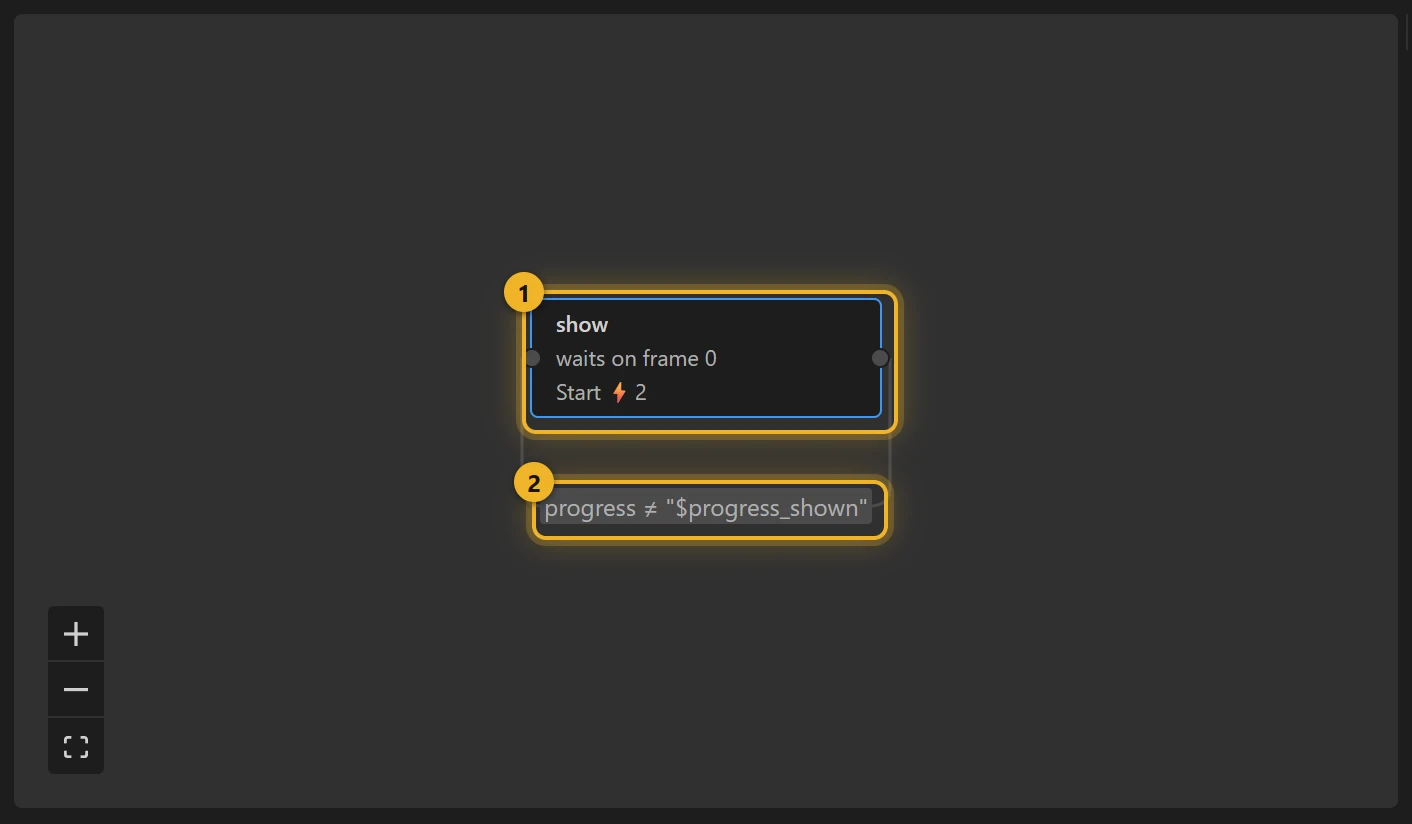
One state, show 1: plays nothing, and on entering does two things: Set progress_shown to $progress, then Jump to progress $progress. Its one rule, progress is not $progress_shown 2, leads back to show itself: a rule may lead to its own state, and entering again runs the entering actions again (measured). So any change of progress, from the page or from the Inputs panel, redraws.
3. On a web page
html
<canvas id="battery" width="240" height="120"></canvas>
<script type="module">
  import { DotLottie } from "https://cdn.jsdelivr.net/npm/@lottiefiles/dotlottie-web@0.81.0/+esm"; // the version these pages use
  const player = new DotLottie({ canvas: document.getElementById("battery"), src: "Battery.lottie", stateMachineId: "machine_18" });
  navigator.getBattery?.().then((b) => {
    const show = () => player.stateMachineSetNumericInput("progress", Math.round(b.level * 100));
    player.addEventListener("load", show);
    b.addEventListener("levelchange", show);
  });
</script>
Without a machine, player.setFrame(n) does the same from your own code; the template is for a file that should carry its own behaviour, and for building on it (an alert state when progress is below 10, say).
Variations
- Upload progress, volume, a level meter, a scroll position, a slider value: any number the page knows.
- Scroll drives it: set
progressfrom the scroll position (recipe).