
Click → segment: a colour picker
Three dots; clicking one selects its colour. The Click → segment template ties a layer to a segment: clicking the layer plays its segment. The pictures use the sample comp Colour picker (folder Interactive examples).
Try it: Click the red, green or blue dot. How it works: Each dot is its own clickable layer and sets value to 1, 2 or 3; the machine plays the segment of that colour. You can also type 1–3 into value below. The file is the .lottie the panel wrote, played by dotlottie-web, the player a web page uses.
Loading the player…
In After Effects
- One marker per choice, each ending one frame before the next begins:
red0–29,green30–59,blue60–89. Every segment starts from the same neutral frame and ends on its colour selected: the ring around the dot, the preview filled. - Why one frame short: the player plays a segment through its last frame and stays there. A
redthat ended on frame 30 would end ongreen's neutral start: the preview went grey again right after every pick. - The price: every pick starts from the neutral frame, so going from red to blue passes through grey. That is the one playhead: a state that plays a different segment starts it at its first frame, not where the last one stopped. A blend between the states does not fix it: it plays the timeline between the two frames (here: through green). Number → segment lists the two shapes that avoid it.
- One layer per choice to click:
Dot red,Dot green,Dot blue. Naming the layer after its marker is what lets the template pair them for you.
1. Check the segments
Open the Studio (Build → the comp's row → Interactive; Add .lottie if asked; Ship this comp as interactive). Segments 1 lists the markers the Studio found 2, with their frames.
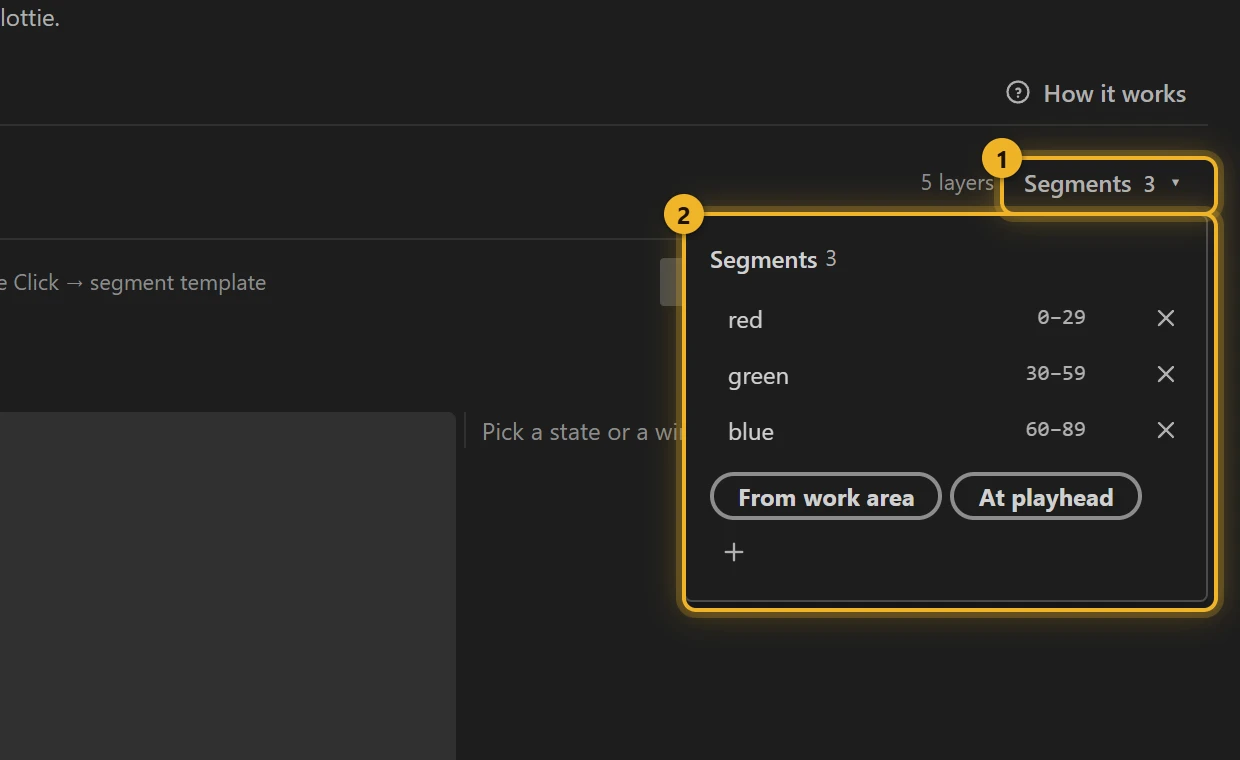
2. New machine → Click → segment
Press New machine and pick Click → segment. The template makes one state per segment and pairs each with a layer: a layer named after the segment first (Dot red for red), the remaining ones in layer order.
3. What the template built
global 1 is a hub that only listens. Each wire 2 reads click · Dot red and so on, and leads to the state that plays that segment 3.
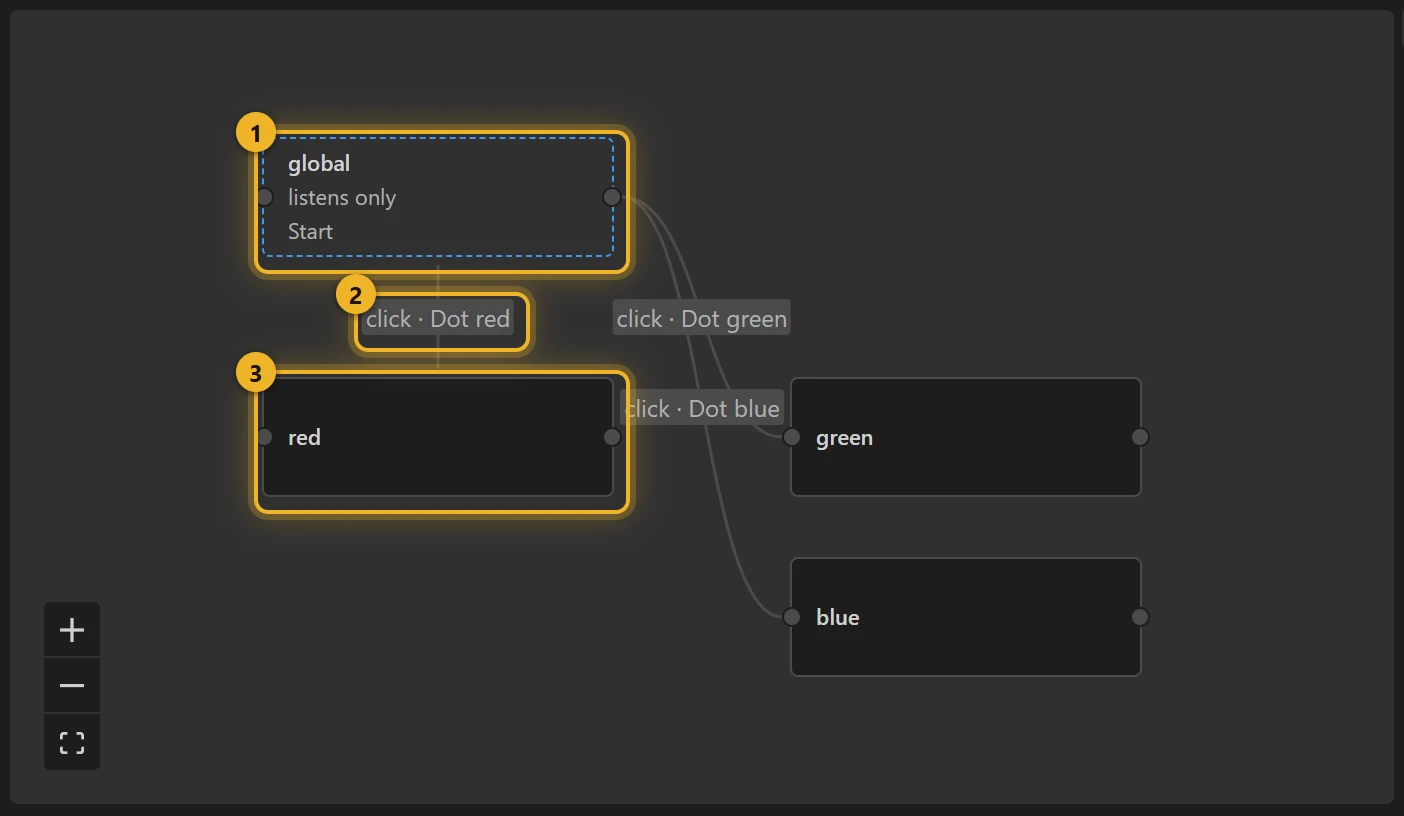
Behind the wires is one Numeric input, value: clicking Dot red sets it to 1, Dot green to 2, Dot blue to 3, and the hub goes to the matching state.
4. The wrong layer on a wire?
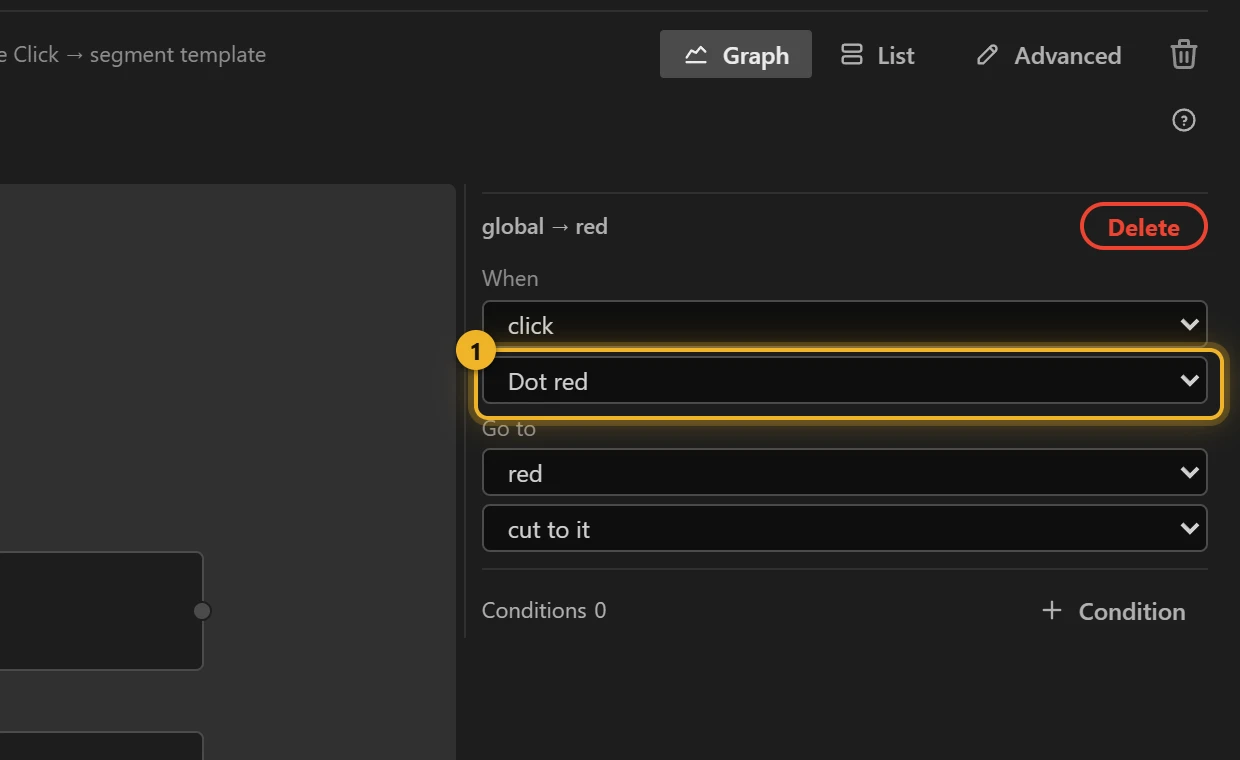
Pick the wire and choose the right layer under When 1. Here the wire from global to red is clicked on Dot red.
5. Build and test
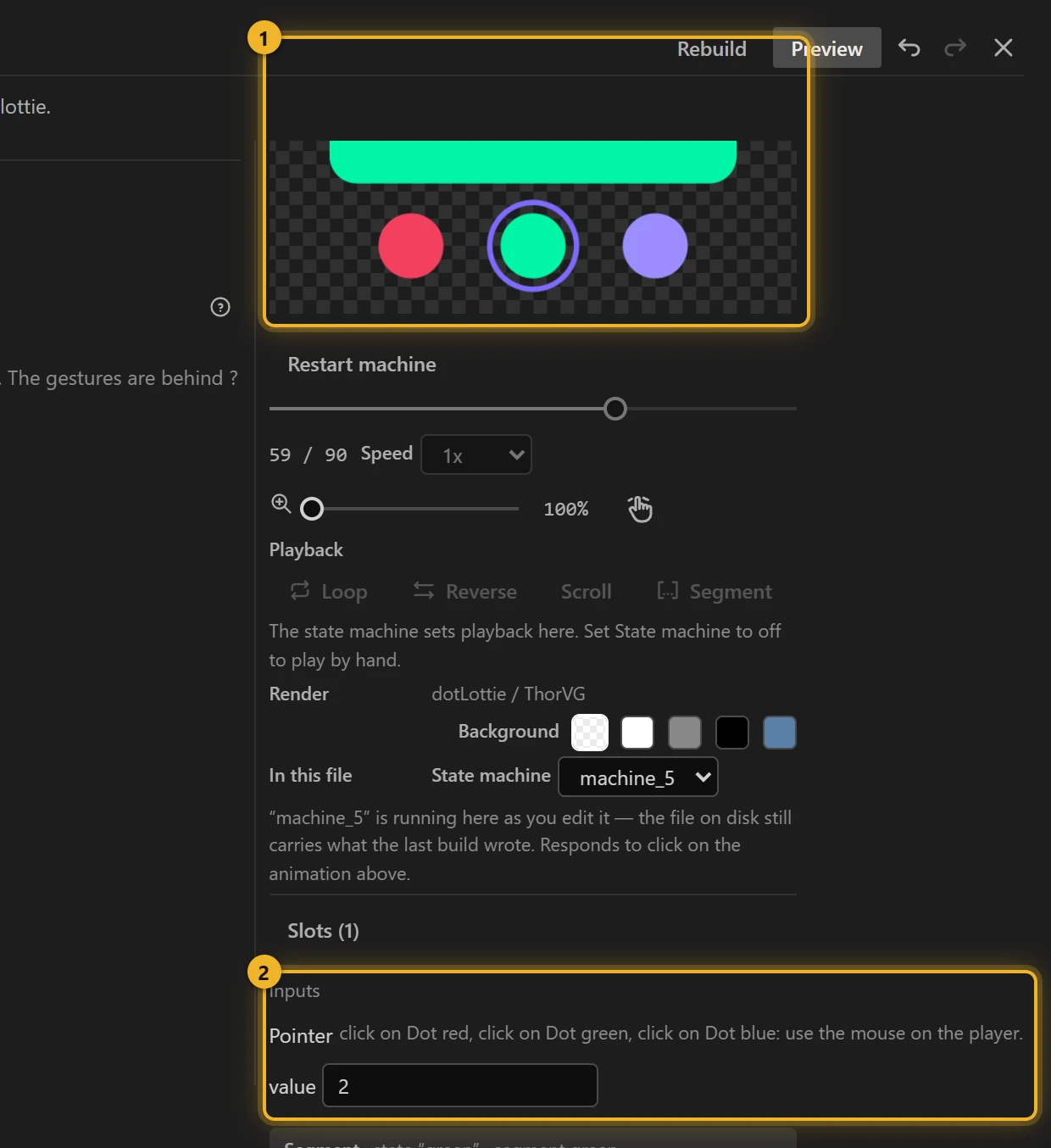
Press Build this comp and click the dots in the Test player 1. Inputs 2 shows value following your clicks; type a number there to select without clicking.
6. On a web page
html
<canvas id="picker" width="360" height="200"></canvas>
<script type="module">
  import { DotLottie } from "https://cdn.jsdelivr.net/npm/@lottiefiles/dotlottie-web@0.81.0/+esm"; // the version these pages use
  const player = new DotLottie({ canvas: document.getElementById("picker"), src: "Colour picker.lottie" });
  player.addEventListener("load", () => {
    player.stateMachineLoad("machine_5");
    player.stateMachineStart();
  });
  // Select green from your own code:
  // player.stateMachineSetNumericInput("value", 2);
</script>
Variations
- Tabs, a size picker, a "choose your plan" row: anything where one of several things is picked.
- The choice comes from your page rather than a click? Number → segment is the same machine without the layers.