
Loading → done: an upload spinner
The ring spins for as long as the upload takes; when your page says it is finished, the ring closes, turns green and a tick draws. The Loading → done template loops one segment until your code fires done, then plays the finish once. The pictures use the sample comp Upload (folder Interactive examples).
Try it: Press Fire done below. How it works: loading loops until the done event arrives, then done plays once. On a real page that event is stateMachineFireEvent("done"), called when the work finishes. The file is the .lottie the panel wrote, played by dotlottie-web, the player a web page uses.
Loading the player…
In After Effects
- Two markers, each with a duration:
loading0–60 (a seamless loop; the arc ends where it started) anddone60–120 (plays once and holds its last frame). - Start
donefrom a frame of the loop, so the hand-over does not jump. Upload's arc is at the same angle on frames 0, 60 and the start ofdone. - Names help: load, wait or spin is taken as the loop; done, finish, end, complete or success as the finish.
1. Open the Studio
Build → open the comp's row → Interactive → Ship this comp as interactive (and Add .lottie if asked).
2. New machine → Loading → done
Press New machine and pick Loading → done.
3. What the template built
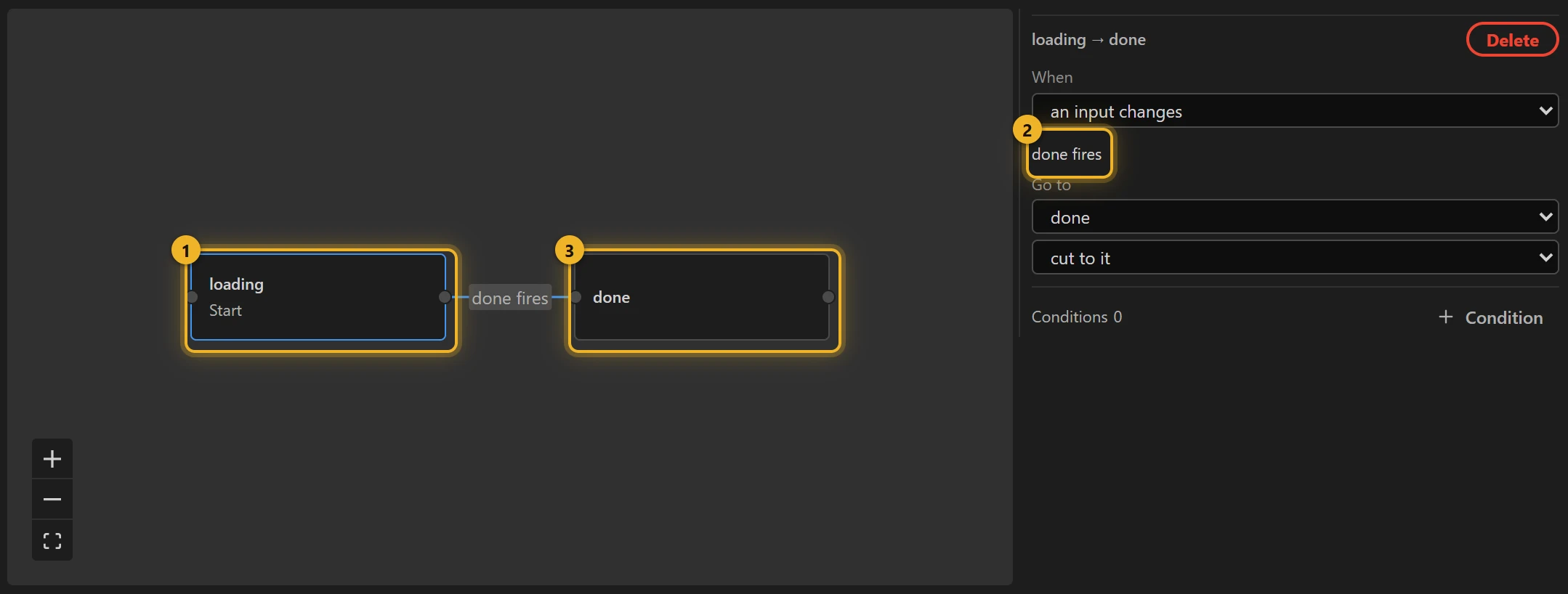
loading 1 is the start; it loops. Its one wire reads done fires 2: it waits for an Event input called done, which nothing inside the animation fires: your page does. Then done 3 plays once.
4. Build and test
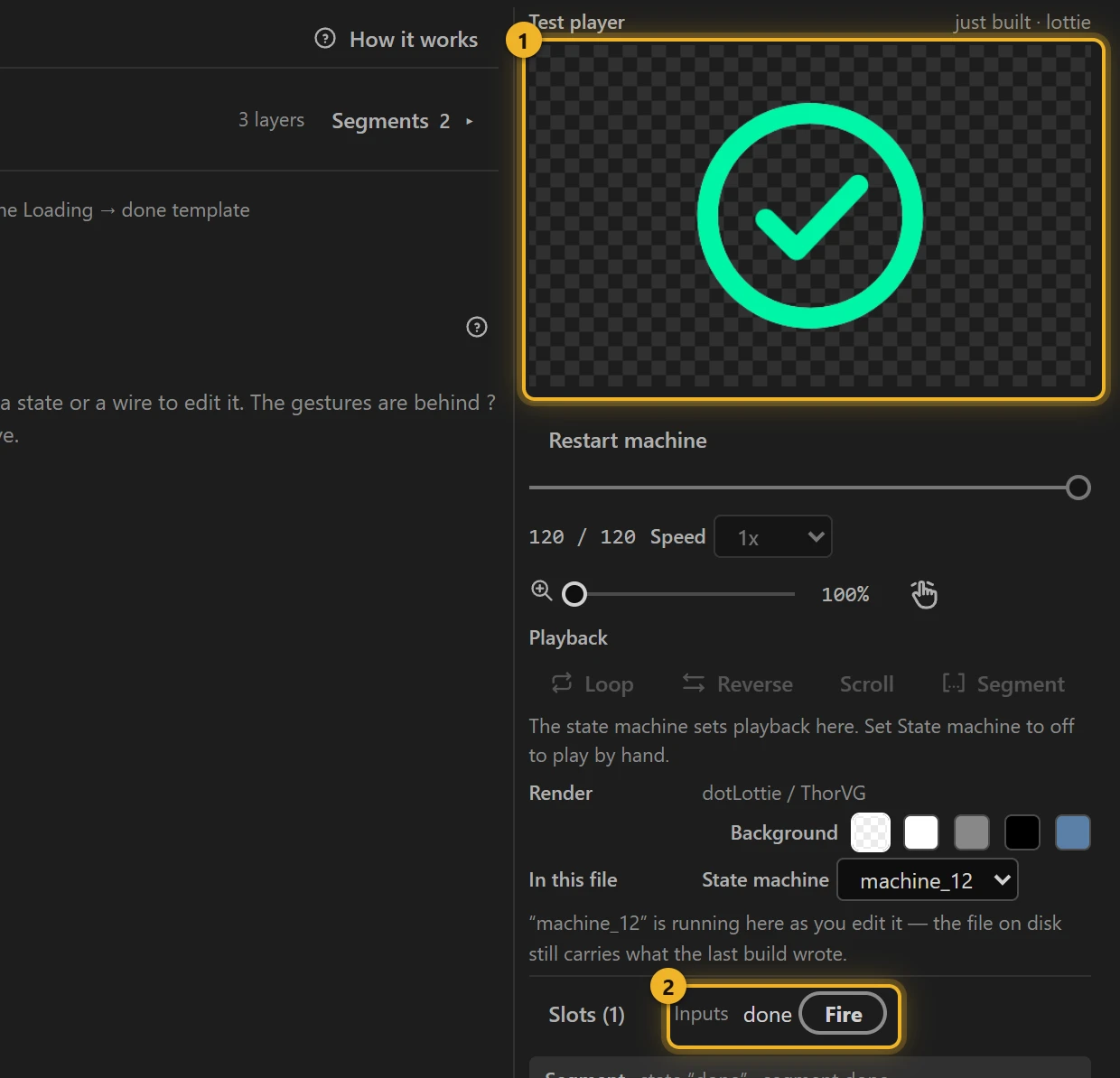
Press Build this comp. The Test player 1 spins until you press Fire next to done under Inputs 2: that is your page saying the work is finished.
5. On a web page
html
<canvas id="upload" width="200" height="200"></canvas>
<script type="module">
  import { DotLottie } from "https://cdn.jsdelivr.net/npm/@lottiefiles/dotlottie-web@0.81.0/+esm"; // the version these pages use
  const player = new DotLottie({ canvas: document.getElementById("upload"), src: "Upload.lottie" });
  player.addEventListener("load", () => {
    player.stateMachineLoad("machine_12");
    player.stateMachineStart();
  });
  // When the upload is really finished:
  // await fetch("/upload", { method: "POST", body: file });
  // player.stateMachineFireEvent("done");
</script>
Variations
- Saving, sending, payment processing, "copied!": any wait that ends in a confirmation.
- A failure should look different? Add a second finish segment (
error), a Blank state that plays it, and a wire from loading on an event of its own:error fires.