
Toggle: a checkbox
A click checks the box, the next click unchecks it. The Toggle template plays the whole animation forward on one click and backward on the next, so the comp needs no markers at all. The pictures use the sample comp Checkbox (folder Interactive examples).
Try it: Click anywhere on the checkbox. How it works: A press flips the value input: on pointer down, the moment the button goes down, not when it comes back up as a full click does, so the box answers at once. on plays the whole animation forward, off plays it back. Until the first click it waits (initial-wait), so nothing plays on load. The file is the .lottie the panel wrote, played by dotlottie-web, the player a web page uses.
Loading the player…
In After Effects
One comp whose first frame is off and last frame is on. Checkbox is 24 frames, or 400 ms at 60 fps: the box dips and fills, then the tick draws. Playing it backward is the uncheck, so there is nothing else to animate.
1. Open the Studio
In Build, click the comp's row to open it and press Interactive. If the Studio says the comp is set to .json only, press Add .lottie: a state machine lives inside a .lottie. Switch on Ship this comp as interactive.
2. New machine → Toggle
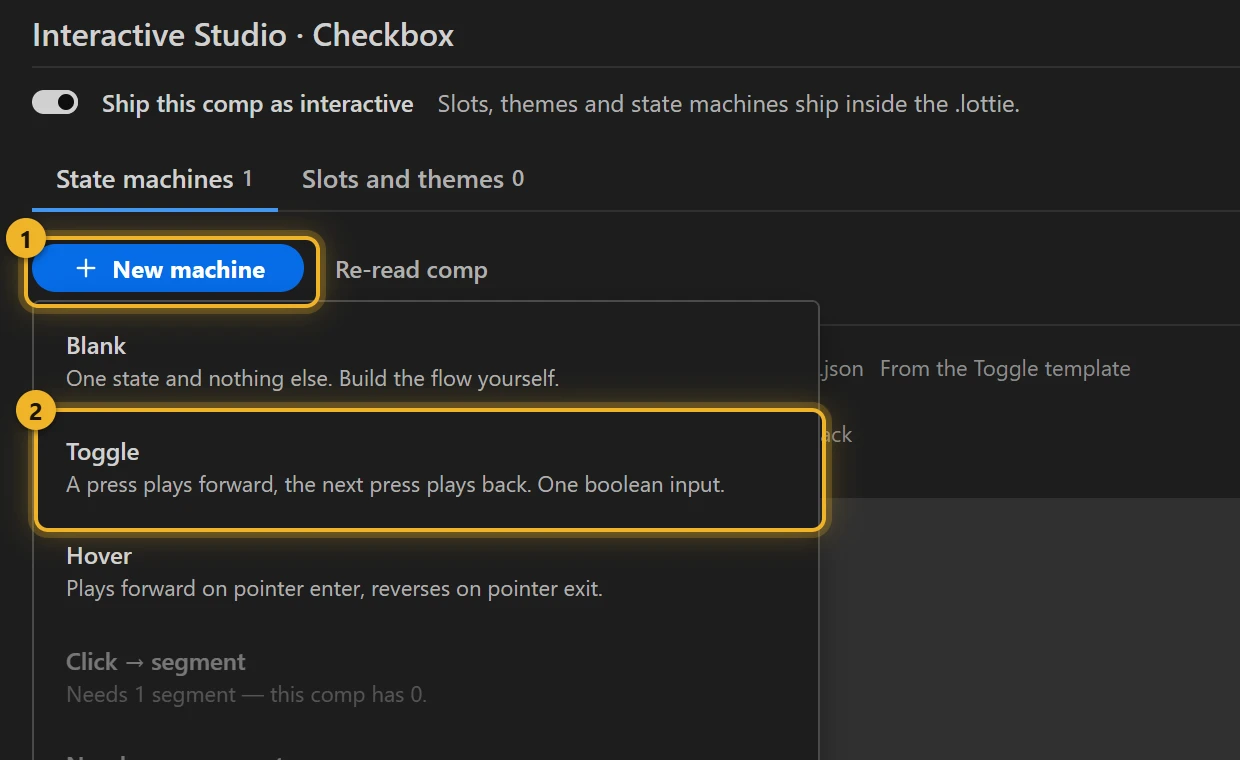
Press New machine 1 and pick Toggle 2.
3. What the template built
Three states 1: initial-wait shows the first frame and waits, on plays forward once, off plays backward once. Each wire is a pointer down 2. Picking a state 3 shows how it plays: Plays the whole animation, Direction forwards or backwards, Repeat once.
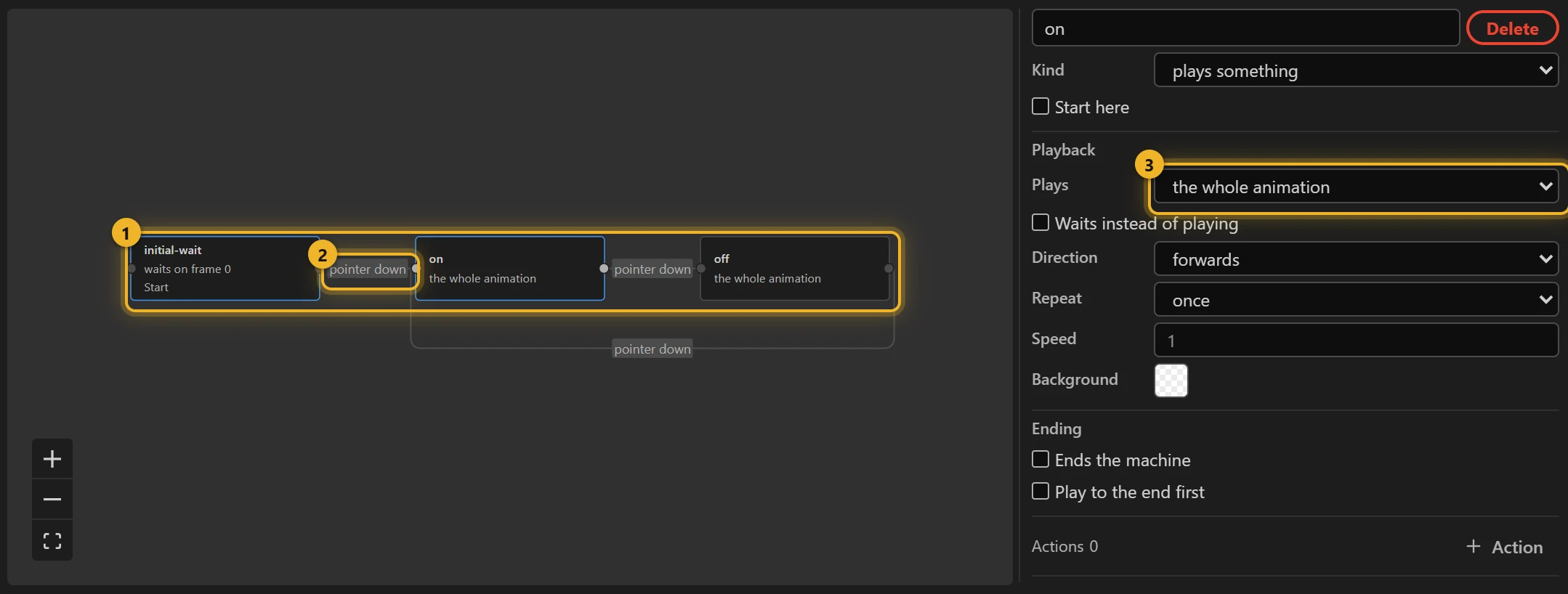
Behind the wires is one Boolean input, value: every click flips it, and the machine follows it: true plays on, false plays off.
4. Only one layer clickable (optional)
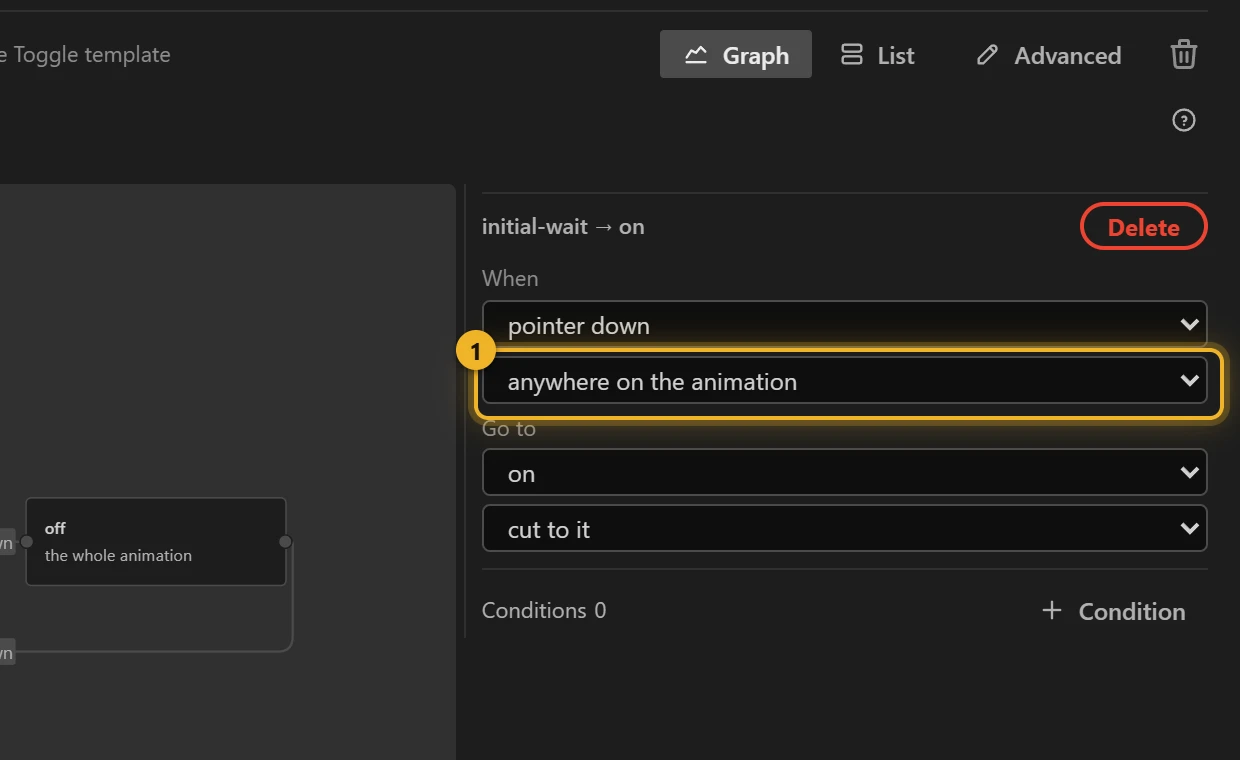
By default a click anywhere on the animation counts. To limit it, pick a wire and change anywhere on the animation 1 to the layer that should take the click.
5. Build and test
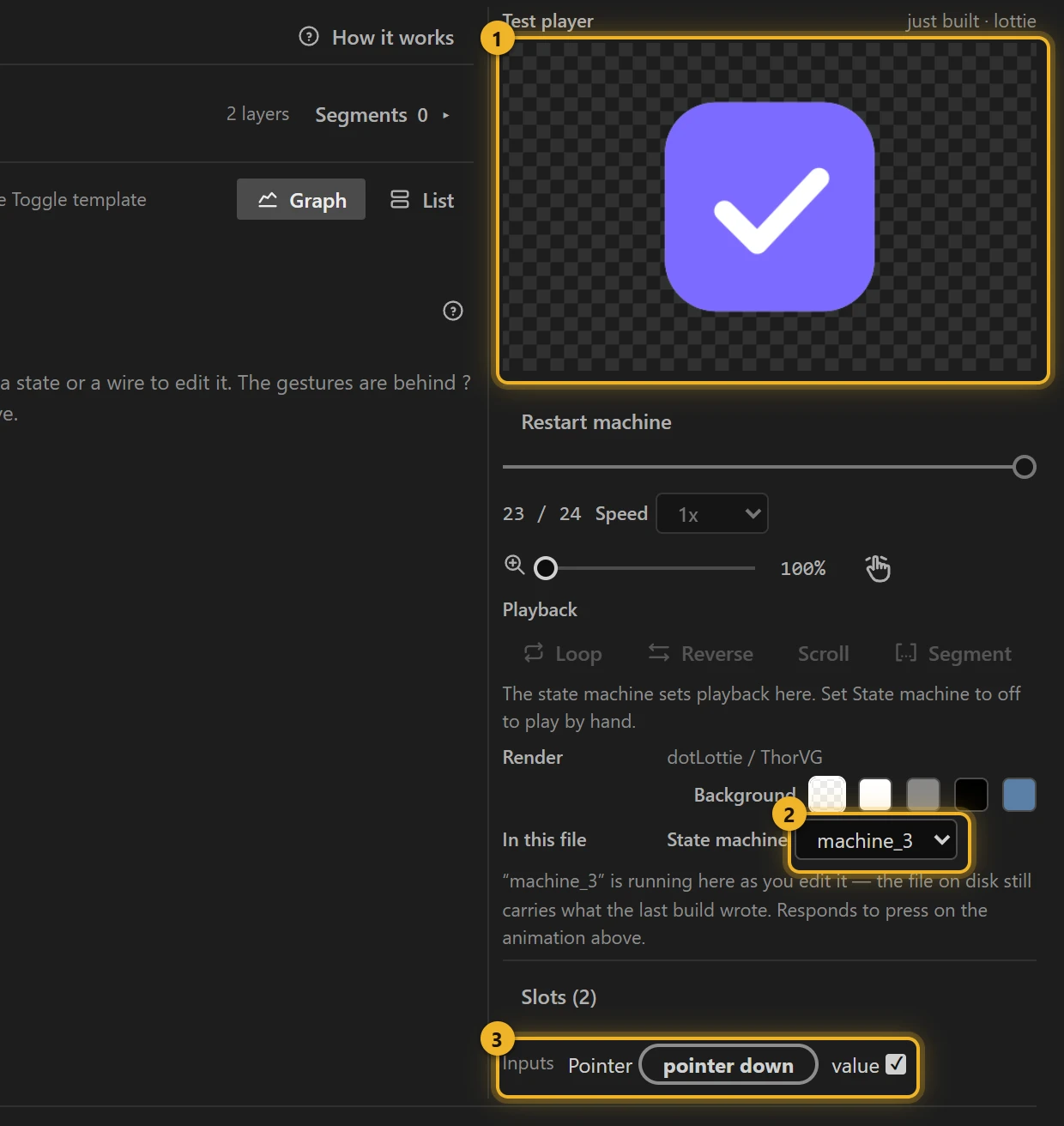
Press Build this comp. The Test player 1 opens with the file that was just written, the machine selected under State machine 2. Click the checkbox: it checks; click again: it unchecks. Inputs 3 shows value changing with each click; tick it yourself to drive the machine without clicking.
6. On a web page
html
<canvas id="checkbox" width="160" height="160"></canvas>
<script type="module">
  import { DotLottie } from "https://cdn.jsdelivr.net/npm/@lottiefiles/dotlottie-web@0.81.0/+esm"; // the version these pages use
  const player = new DotLottie({ canvas: document.getElementById("checkbox"), src: "Checkbox.lottie" });
  player.addEventListener("load", () => {
    player.stateMachineLoad("machine_3"); // the id the Studio shows: s/machine_3.json
    player.stateMachineStart();
  });
  // Checked from your own code (a saved setting, say), no click needed:
  // player.stateMachineSetBooleanInput("value", true);
</script>
Variations
- Favourite star, bookmark, mute button: anything with two resting poses and one animation between them.
- The "on" and "off" moves look different? Use Toggle with two segments: each direction gets its own marker.
Two more sample comps made with the same template, no change after it (folder Interactive examples):
Menu icon: hamburger ↔ close
Loading the player…
The outer lines meet in the middle and turn 45°, the middle one shrinks away: 15 frames (250 ms), ease-in-out, because the lines move on screen rather than enter. Backward is the close → hamburger move, so again there is nothing else to animate. Machine machine_22.
Password eye: show / hide
Loading the player…
The first frame is the plain eye (the password is hidden; click to show it); the last is the eye struck through. The slash draws across and the pupil narrows, 15 frames, ease-out. The page listens to value and switches the field:
html
<input id="password" type="password">
<canvas id="eye" width="160" height="160"></canvas>
<script type="module">
  import { DotLottie } from "https://cdn.jsdelivr.net/npm/@lottiefiles/dotlottie-web@0.81.0/+esm"; // the version these pages use
  const player = new DotLottie({ canvas: document.getElementById("eye"), src: "Password eye.lottie" });
  player.addEventListener("load", () => {
    player.stateMachineLoad("machine_23");
    player.stateMachineStart();
  });
  player.addEventListener("stateMachineBooleanInputValueChange", (e) => {
    if (e.inputName === "value") document.getElementById("password").type = e.newValue ? "text" : "password";
  });
</script>