
Hold to confirm: hold to delete
Press and hold: the ring fills red in a second and a half and the button sinks. Let go early and the ring runs back from where it got to; press again and it carries on up. Hold to the end and the bin drops away: Deleted. The Hold to confirm template protects an action that should not happen by accident. The pictures use the sample comp Hold to delete (folder Interactive examples).
Try it: Press and hold the button; let go half way; press again and hold to the end. How it works: pointer down plays fill forwards (filling); letting go plays the same segment backwards (emptying) from the frame it reached; filled to the end, confirmed plays and tells your page. The file is the .lottie the panel wrote, played by dotlottie-web, the player a web page uses.
Loading the player…
In After Effects
- Three markers:
idle0–29 (the resting button),fill30–119 (the ring fills; linear, it is a timer the person watches),confirmed120–179 (plays once and holds). - Names help: idle, rest; fill, hold, charge, progress; confirm, done, delete.
- The fill is played backwards when the person lets go, so make it read well both ways: no overshoot, no ease that looks wrong in reverse.
1. New machine → Hold to confirm
Open the Studio as for any template and pick Hold to confirm. On a file with more than the button, pick the pointer down wires and change anywhere on the animation to the button's layer.
2. What the template built
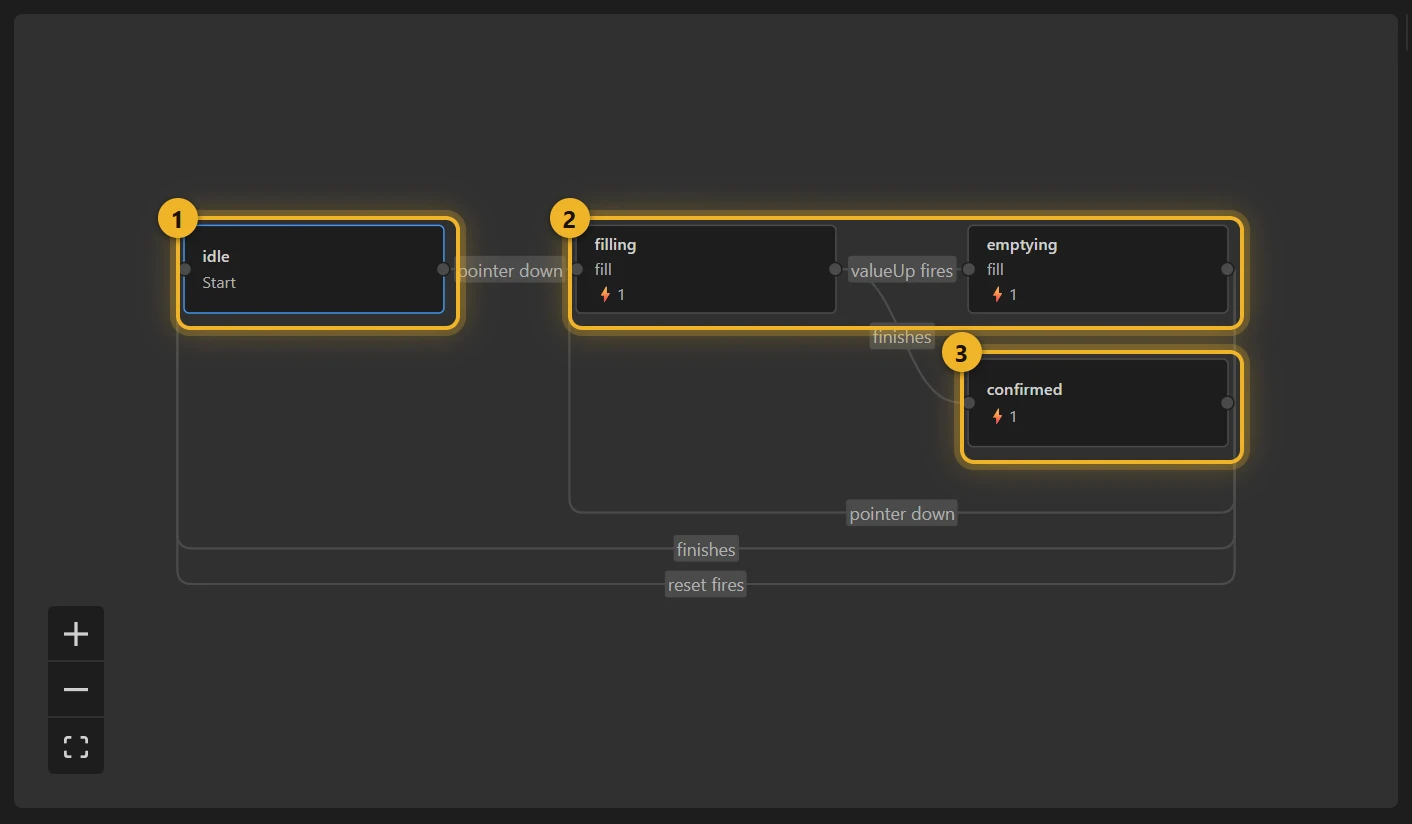
- idle 1 waits for pointer down → filling 2, which plays
fillforwards. - filling → emptying when the press ends; emptying plays the same
fillsegment backwards, and a new press goes back to filling. Moving to a state that plays the same segment keeps the playhead where it is (measured), so the ring never jumps. - filling, when it finishes → confirmed 3, which fires the custom event
confirmedfor your page. emptying, when it finishes → idle. - The press ends on pointer up anywhere and on pointer exit. A pointer up on the button only fires when it is released over the button, and on a phone a finger that slides off sends no pointer up at all (measured), and either would leave it filling.
One thing to know: a state that plays backwards reports finishing only some of the time in the dotLottie player (measured). Here that is harmless: emptying stopped at the empty ring listens to a press exactly as idle does.
3. Build and test
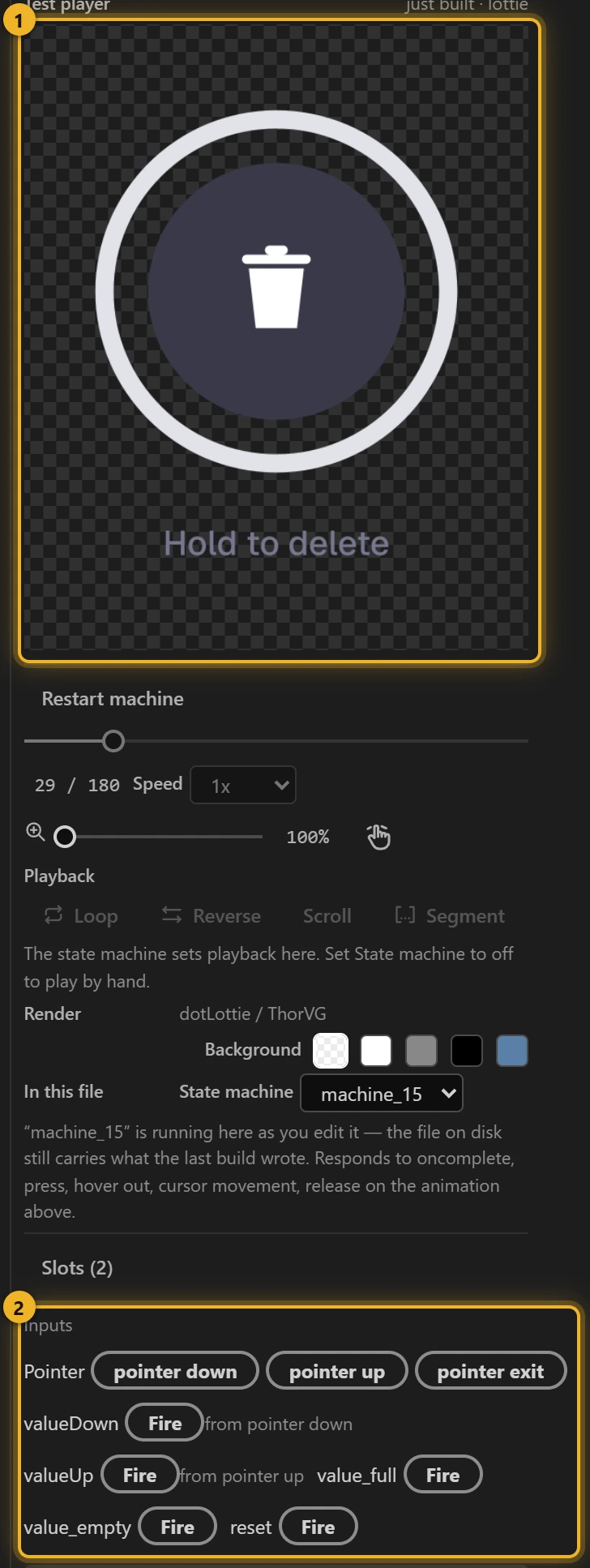
Press Build this comp and hold the button on the Test player 1; reset under Inputs 2 starts it over.
4. On a web page
html
<canvas id="hold" width="220" height="240" style="touch-action: none"></canvas>
<script type="module">
  import { DotLottie } from "https://cdn.jsdelivr.net/npm/@lottiefiles/dotlottie-web@0.81.0/+esm"; // the version these pages use
  const player = new DotLottie({ canvas: document.getElementById("hold"), src: "Hold to delete.lottie" });
  player.addEventListener("load", () => {
    player.stateMachineLoad("machine_15");
    player.stateMachineStart();
  });
  player.addEventListener("stateMachineCustomEvent", (e) => {
    if (e.eventName === "confirmed") deleteTheThing(); // your code
  });
  // player.stateMachineFireEvent("reset") brings the button back.
</script>
touch-action: none keeps a phone from treating the hold as the start of a scroll.
Variations
- Delete, publish, transfer, end a call: anything worth a second's thought.
- A longer or shorter hold: make
filllonger or shorter in After Effects. The template has no timer of its own; the segment is the timer.