
Button: a press button
The button glows while it waits; press it and it goes down, let go and it springs back up. The Button template follows the pointer the way a real button does: pointer down plays one segment, pointer up another. The pictures use the sample comp Press button (folder Interactive examples).
Try it: Press and hold, then let go. How it works: Pointer down plays pressed; pointer up plays release, and its end returns to the looping idle. The file is the .lottie the panel wrote, played by dotlottie-web, the player a web page uses.
Loading the player…
In After Effects
- Three markers, each with a duration:
idle0–60 (a loop),pressed60–72 (the push, ending held down),release72–96 (back up, ending whereidlebegins). - Names help: idle, rest or normal; press or down; release or up. Otherwise comp order.
1. Open the Studio
Build → open the comp's row → Interactive → Ship this comp as interactive (and Add .lottie if asked).
2. New machine → Button
Press New machine and pick Button.
3. What the template built
idle 1 is the start and loops. A hub listens for pointer down 2 from any state and goes to pressed. Only pressed listens for pointer up 3 and goes to released, so so a pointer up with no press before it (a drag that ends on the button, a tap that began somewhere else) does nothing. When the release finishes 4, the machine goes back to idle.
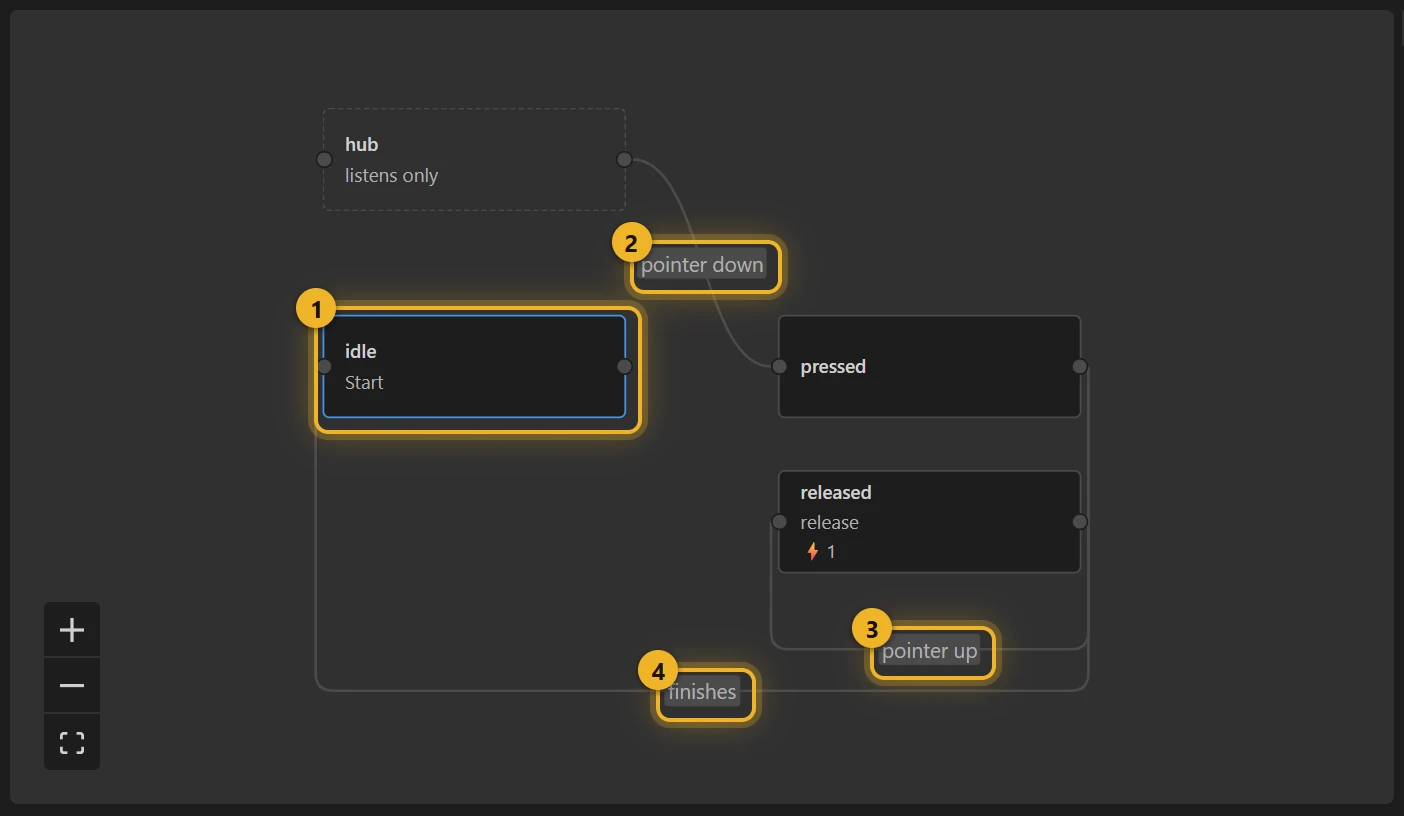
The pointer fires valueDown and valueUp; the end of the release fires value_released, which the wire back to idle waits for.
4. Build and test
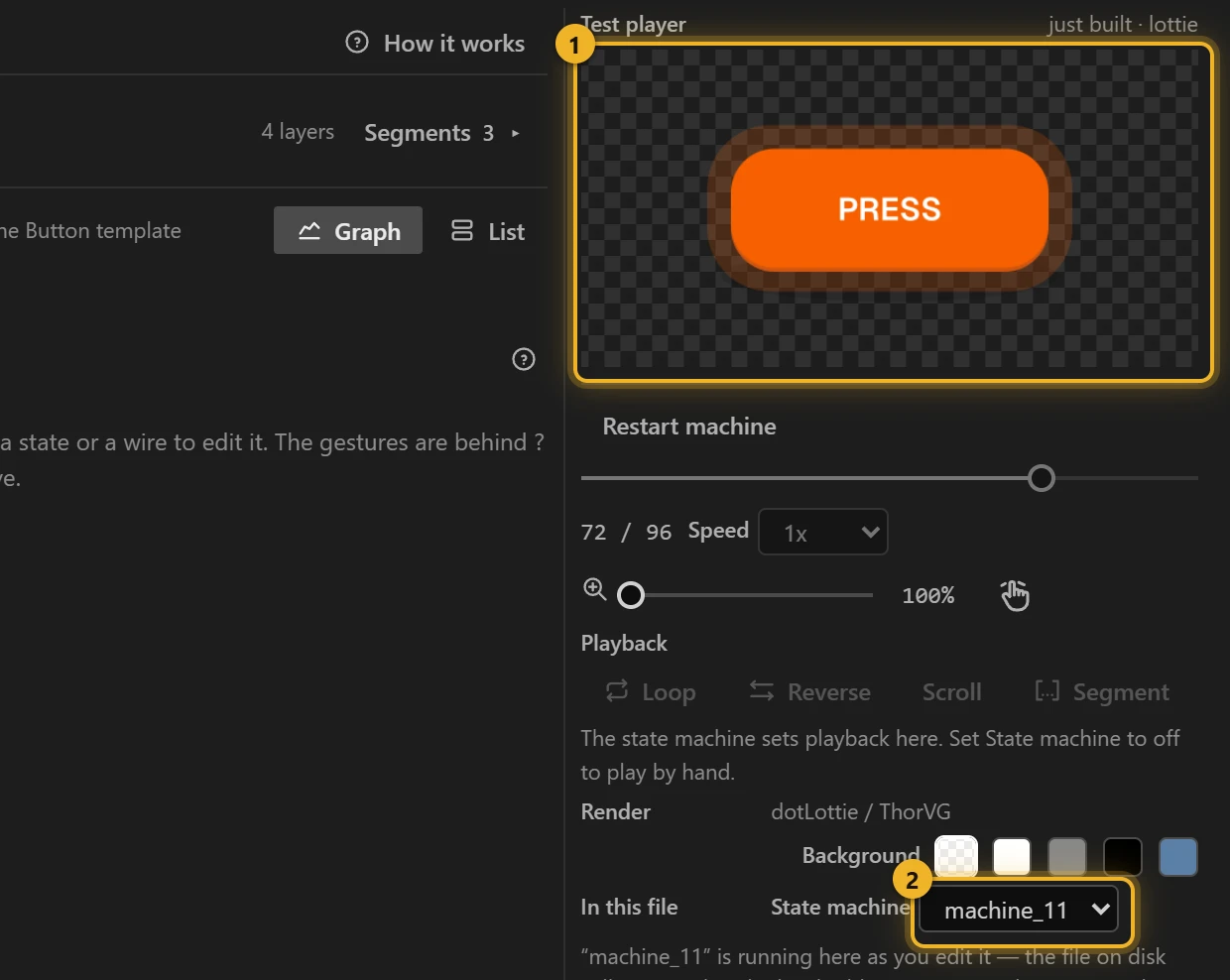
Press Build this comp, then press and hold on the Test player 1: pressed plays and stays down; let go and the button springs back. The machine 2 is the one you just built.
5. On a web page
html
<canvas id="press" width="240" height="160"></canvas>
<script type="module">
  import { DotLottie } from "https://cdn.jsdelivr.net/npm/@lottiefiles/dotlottie-web@0.81.0/+esm"; // the version these pages use
  const player = new DotLottie({ canvas: document.getElementById("press"), src: "Press button.lottie" });
  player.addEventListener("load", () => {
    player.stateMachineLoad("machine_11");
    player.stateMachineStart();
  });
  // A keyboard press should look the same:
  // el.addEventListener("keydown", (e) => { if (e.key === " ") player.stateMachineFireEvent("valueDown"); });
  // el.addEventListener("keyup", (e) => { if (e.key === " ") player.stateMachineFireEvent("valueUp"); });
</script>
Variations
- Game controls, a "hold to confirm" button, a big physical-looking switch.
- One click is enough and there is no "held" pose? Idle → action → Idle plays the whole action on a click.