
Hover: an arrow button
The button lifts and fills while the pointer is over it, and settles back when the pointer leaves. The Hover template plays the whole animation forward on pointer enter and backward on pointer exit, with no markers. The pictures use the sample comp Arrow button (folder Interactive examples).
Try it: Move the pointer onto the button, then away. How it works: Entering fires valueEnter and plays the animation forward; leaving fires valueExit and plays it in reverse. A global state listens for both, so either can interrupt the other. The file is the .lottie the panel wrote, played by dotlottie-web, the player a web page uses.
Loading the player…
In After Effects
One comp that goes from the resting button (first frame) to the hovered one (last frame). Arrow button is 15 frames at 60 fps, or 250 ms: the fill comes in, the label turns white, the arrow's circle slides right and the whole button rises 4 px. Keep it short: a hover is seen many times a day, and one that takes longer than a quarter of a second feels slow.
1. Open the Studio
Build → open the comp's row → Interactive. Add .lottie if asked, then Ship this comp as interactive.
2. New machine → Hover
Press New machine and pick Hover.
3. What the template built
idle 1 is a hub: it plays nothing and only listens. Pointer enter 2 sends it to hoverIn, which plays forward; pointer exit sends it to hoverOut, which plays backward. Either can start while the other is running, so a quick in-and-out is smooth.
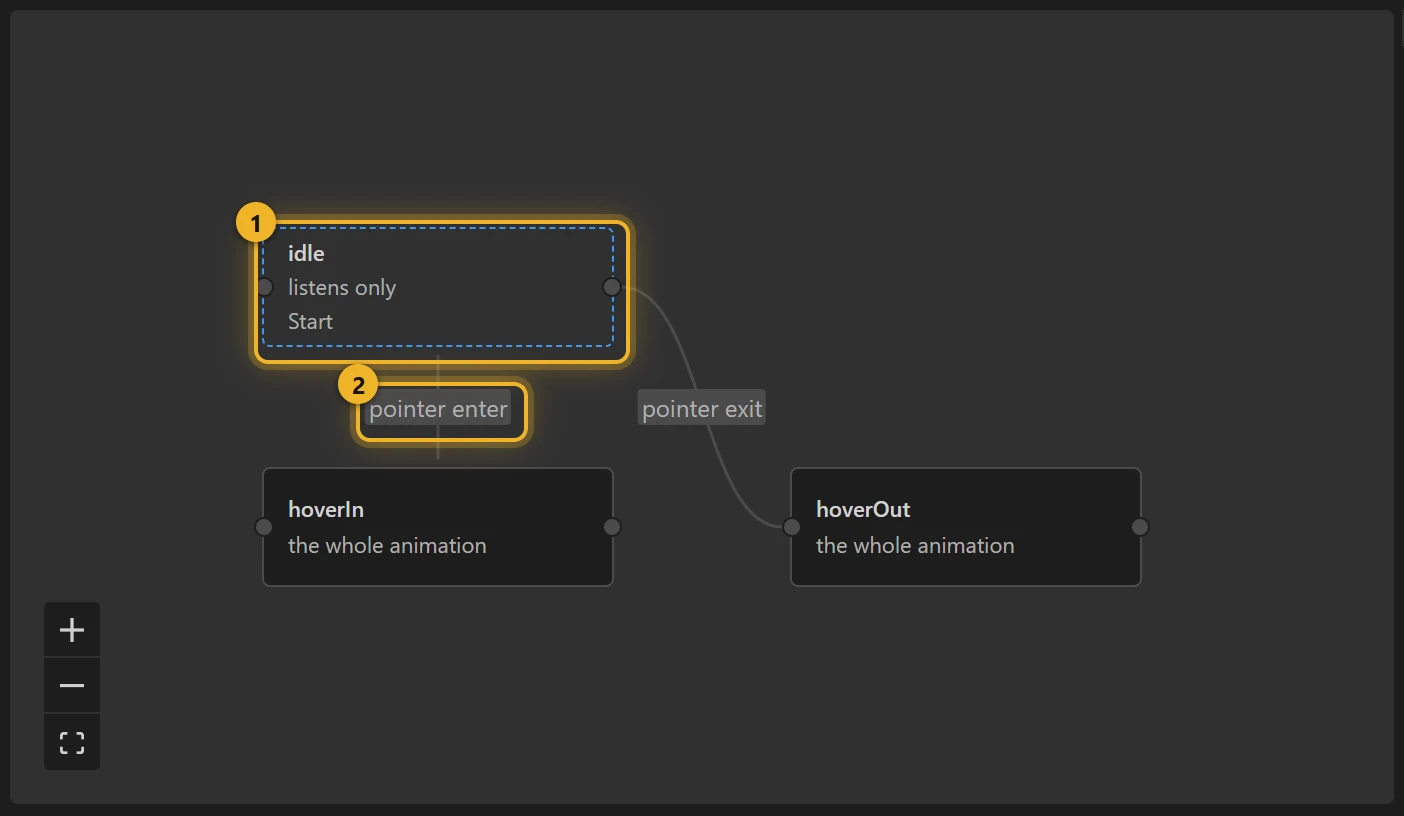
The template uses two Event inputs, valueEnter and valueExit; the pointer fires them for you.
4. Hover only the button (optional)
A hover over the whole canvas is right for a small icon. On a larger file, pick the pointer enter wire, change anywhere on the animation to the button's layer, and do the same for pointer exit.
5. Build and test
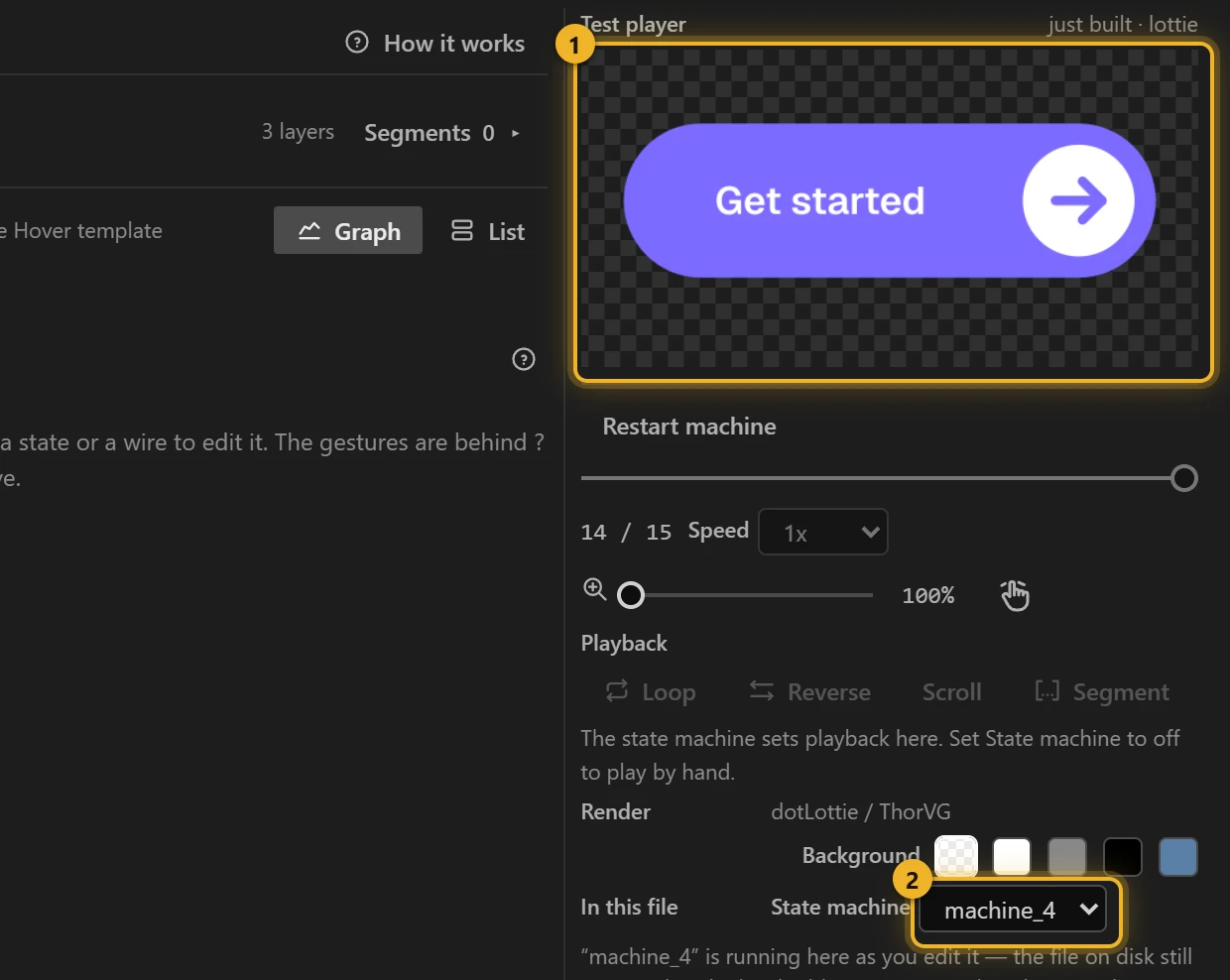
Press Build this comp, then move the pointer over the Test player 1 and away again. The machine 2 is the one you just built.
6. On a web page
html
<canvas id="cta" width="320" height="120"></canvas>
<script type="module">
  import { DotLottie } from "https://cdn.jsdelivr.net/npm/@lottiefiles/dotlottie-web@0.81.0/+esm"; // the version these pages use
  const player = new DotLottie({ canvas: document.getElementById("cta"), src: "Arrow button.lottie" });
  player.addEventListener("load", () => {
    player.stateMachineLoad("machine_4");
    player.stateMachineStart();
  });
  // Keyboard focus should look like hover too:
  // button.addEventListener("focus", () => player.stateMachineFireEvent("valueEnter"));
  // button.addEventListener("blur", () => player.stateMachineFireEvent("valueExit"));
</script>
Variations
- Menu icons, cards that lift, links that underline: any "come forward" move.
- Want a click on top of the hover? That is Hover + click: hover plays one segment, a click plays another.
A gear that spins while hovered
Loading the player…
Not every hover is a move forward and back: a settings gear should turn while the pointer is on it and finish its turn when it leaves (sample comp Settings gear, machine gear, written as data; the template's forward/backward pair cannot loop). One marker, spin (0–29): 45° at a constant speed: the gear has eight teeth, so 45° later it looks the same and the loop has no seam.
Three states, all on the same spin segment, and on the same segment the playhead carries on instead of jumping back to the start:
| State | Plays | Leaves on |
|---|---|---|
rest | spin, not autoplaying: parked on frame 0 | pointer enter → spin |
spin | spin, looping | pointer exit → settle |
settle | spin once, from wherever the gear is, to the end of the turn | pointer enter → spin |
So leaving mid-turn lets the gear coast to its rest pose (at most half a second), and coming back mid-coast loops on from there.