
Preview
Preview opens over the panel from any file: a row in Files, a built comp in Build, or an item in the Library. It plays the file in lottie-web and in dotLottie's ThorVG engine, alone or side by side on one timeline. Render 1 picks one player or both.
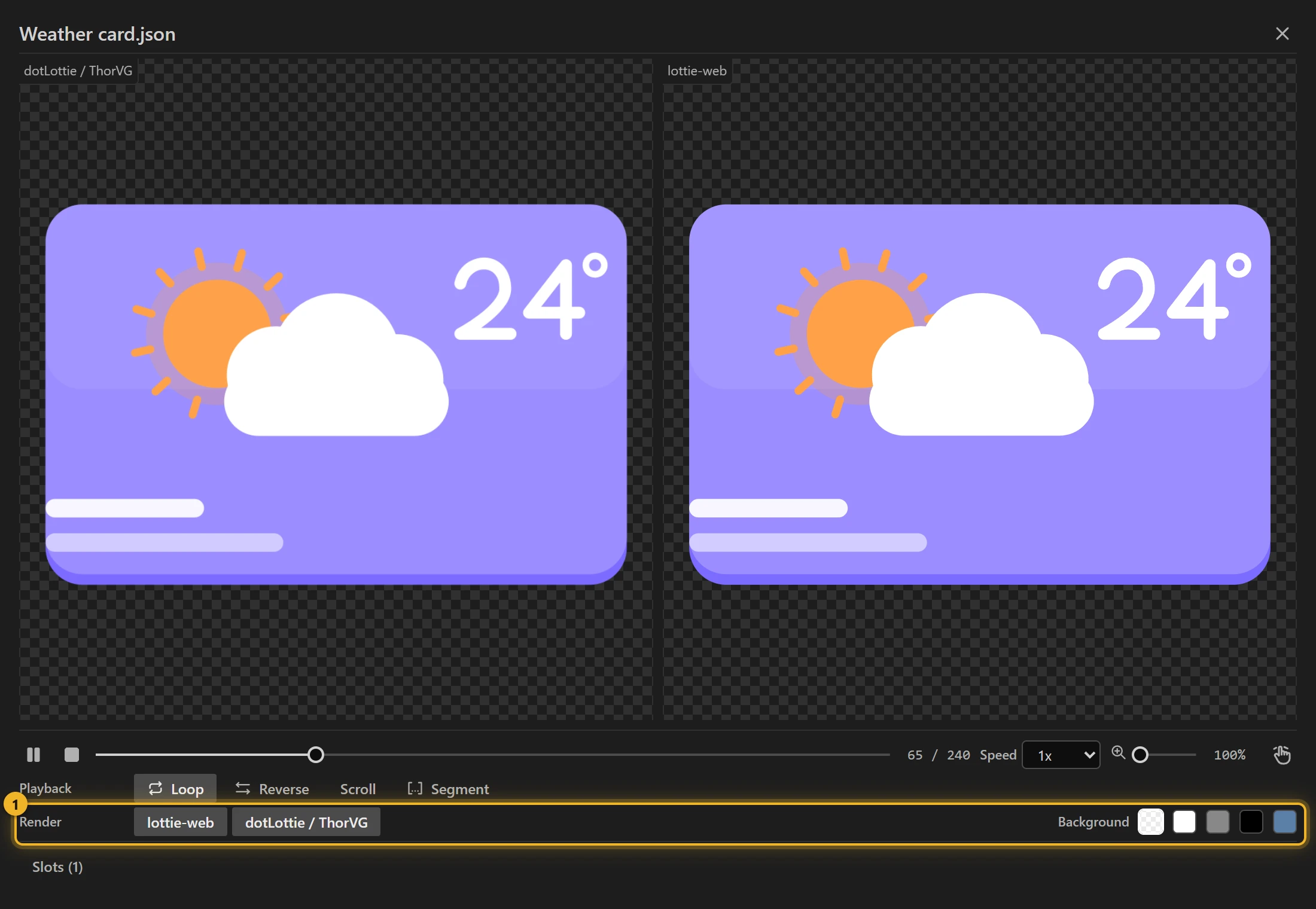
Controls

- Play / Pause and Stop 1, the timeline and the frame counter 2.
- Speed 3, Zoom 4 and the hand tool for panning.
- Loop, Reverse, and Segment 5 to play one segment only.
- Scroll: the mouse wheel over the animation moves the playhead, as a web page's scroll would. Use it for files a page drives by its scroll (An animation that follows the scroll).
- Render:
lottie-web,dotLottie / ThorVG, or both. Where the two disagree, you see it here before your users do. One known case: an image the file loads from the web shows in lottie-web, while dotLottie / ThorVG draws a grey placeholder, and the preview says so above the stage. Images and fonts the file requests from your own computer or local network (an address likelocalhostor192.168…) are not loaded at all. - Background 6: transparent, white, grey, black or a colour of your choice (it starts on a dusty blue). The choice and your colour are remembered for the next preview, also after you restart After Effects.
What the file carries
For a .lottie, In this file lists what it carries:
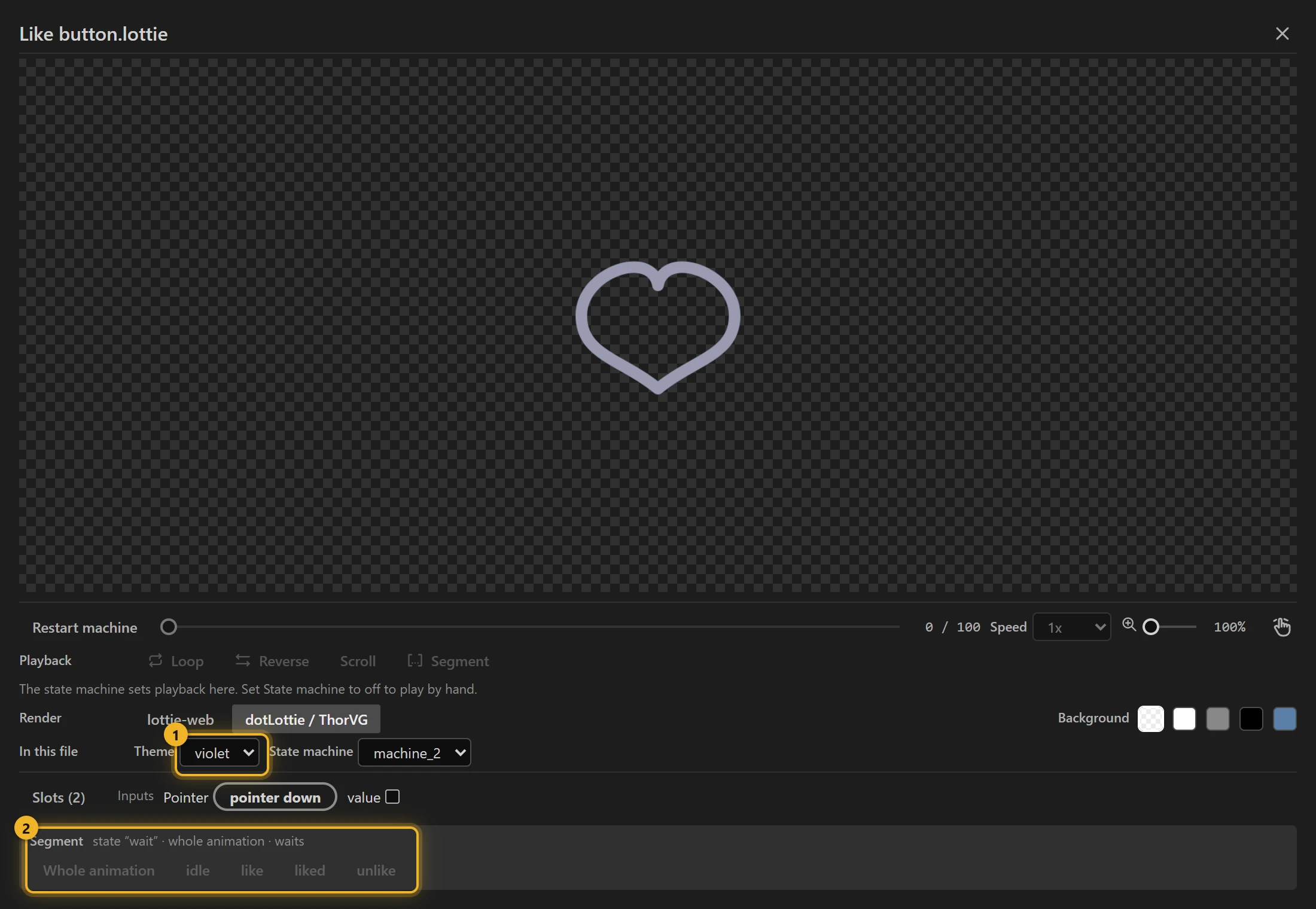
- Theme 1: switch between the file's themes.
- State machine: start one of the file's machines. Only ThorVG runs them; lottie-web plays the plain animation. A file opens with the machine its manifest names already running, or with its only machine if it has one; pick off to play the plain animation.
- Segment 2: play the whole animation or one segment.
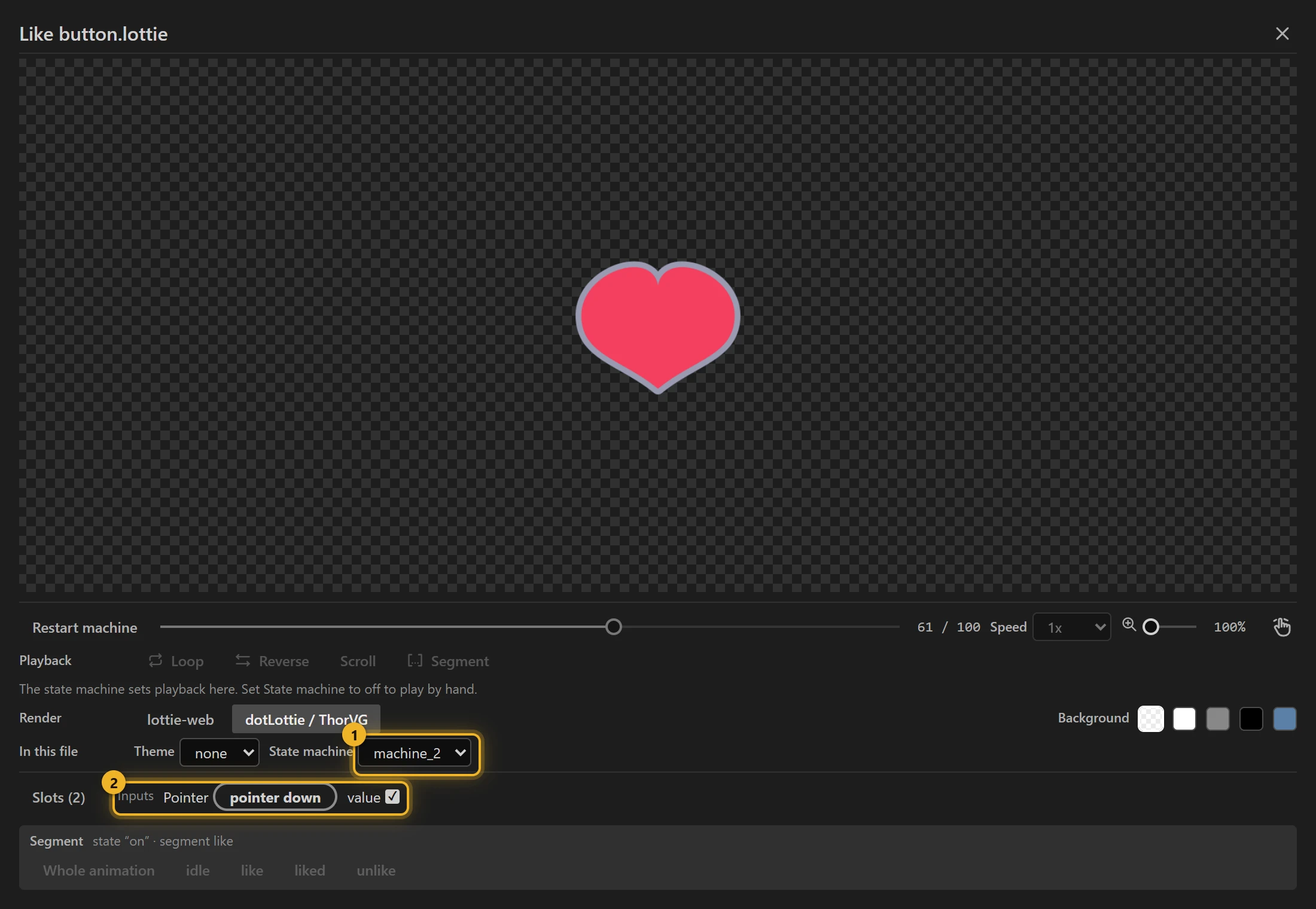
Pick a machine under State machine 1, then click the animation to drive it. Its Inputs 2 are listed below: tick a Boolean, type a number or text, or press Fire beside an Event.
Slots lists the file's tokens. Change a value to try it without a theme: a colour, a number, a position, or a text slot's words, as a web page would set them. A position slot has Follow pointer: it moves towards the pointer anywhere on screen, up to the distance beside it, the way a page that follows the cursor does (Eyes that follow the cursor). Turning it off puts the file's value back.
Files from elsewhere
Both engines run expressions. A file from disk that you did not build yourself may carry any code in its expressions, so Preview strips them and shows a badge. In a .lottie this covers every animation the file holds, not only the first, and the expressions inside its themes, which the dotLottie player also runs; they all count toward the number on the badge. Allow them for that one file when you trust it. The permission is not remembered, and it ends if the file changes on disk.
Some shapes exist only as an expression's result: a rig that builds a limb's path from its controllers, for example, with nothing drawn in the file itself. The badge says how many such shapes are missing. They are also missing in any player that does not run expressions, so export the source with expressions baked.