
Intro → click: a gift box that opens
The box drops in and waits. Click it and the lid flies off, a star rises out, and it stays open. The Intro → click template plays one segment once, holds its last frame, and plays a second segment once on a click, which then holds too. The pictures use the sample comp Gift box (folder Interactive examples).
Try it: Click the box once while it is still dropping in (nothing happens), then after it has landed. Press Restart to close it again. How it works: intro plays once; its end sets value_intro_done. A click fires valueClick, and the wire to action passes only once the intro has finished. The file is the .lottie the panel wrote, played by dotlottie-web, the player a web page uses.
Loading the player…
In After Effects
- Two markers, each with a duration:
intro0–59 (plays once) andopen60–149 (plays on the click). - Each segment stops on its last frame, so end each one on the pose that should stay on screen: the closed box, then the open box with the star.
- Names help: intro, start, appear or reveal is taken as the intro; click, action, press, tap or play as the action. Anything else goes in comp order.
1. Open the Studio
Build → open the comp's row → Interactive → Ship this comp as interactive (and Add .lottie if asked).
2. New machine → Intro → click
Press New machine and pick Intro → click.
3. What the template built
intro 1 is the start: it plays its segment once and stays on the last frame. A click 2 moves to action, which plays open (60–149) 3 once and stays on its last frame too. Nothing leaves action: the box stays open until the page restarts the machine.
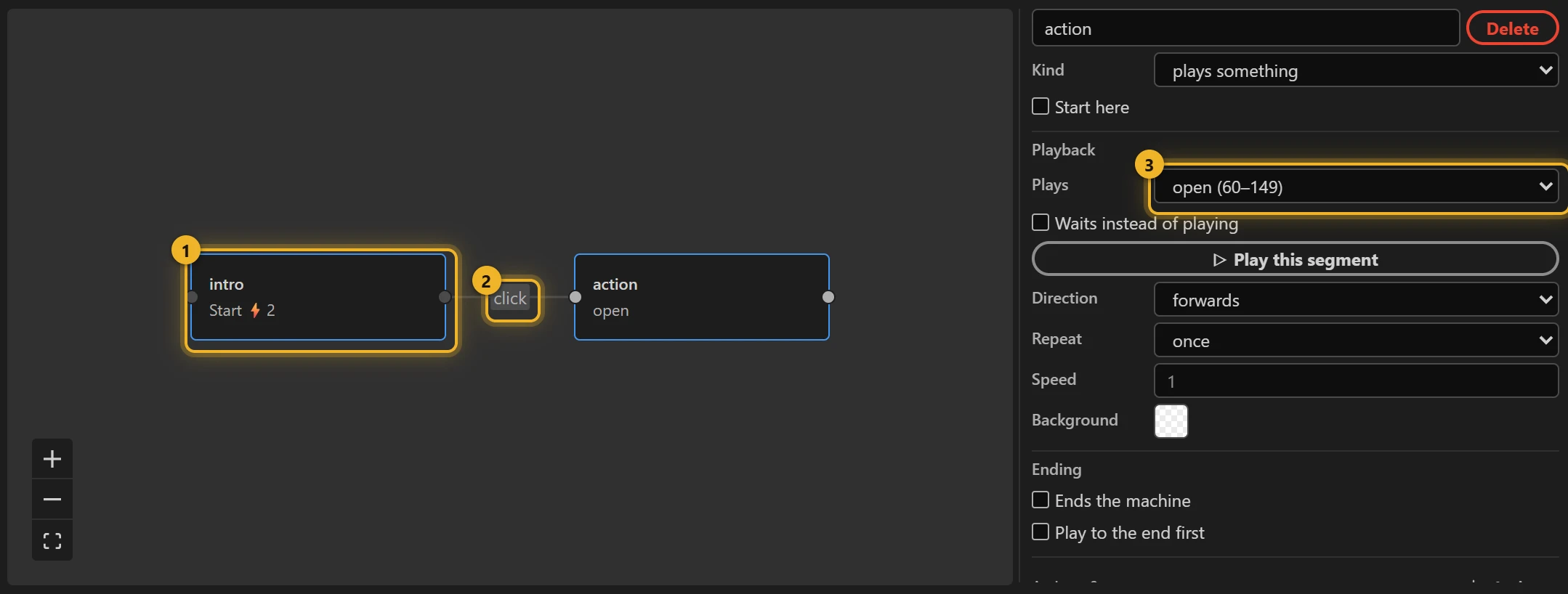
The click is on the whole animation. It counts only after the intro has finished: the template adds that condition for you (value_intro_done, set by an on complete on the intro), so a click while the box is still dropping in does nothing.
4. Build and test
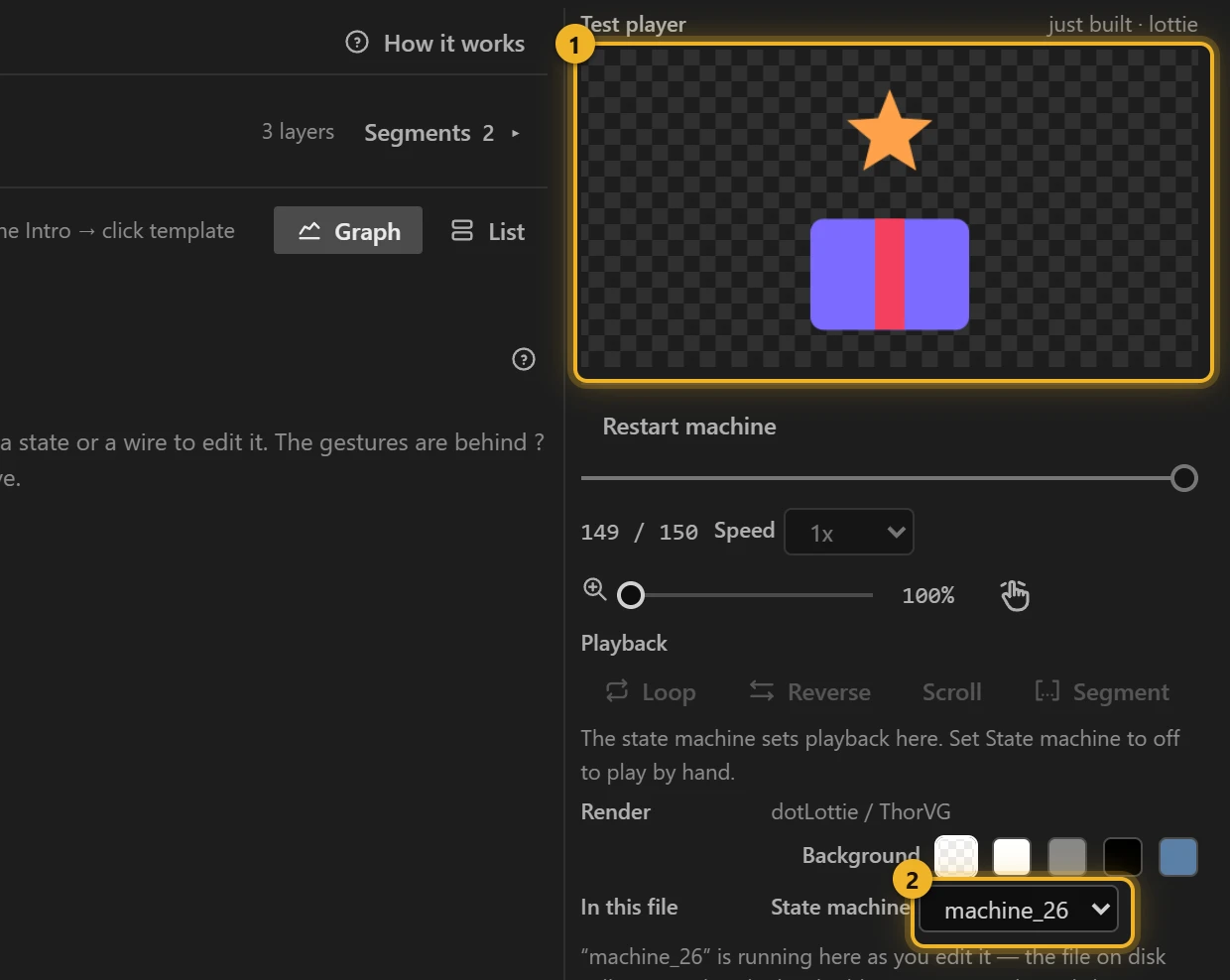
Press Build this comp. In the Test player 1 the box drops in and waits; a click opens it. Restart machine plays it from the intro again. The machine 2 is the one you just built.
5. On a web page
html
<canvas id="gift" width="240" height="240"></canvas>
<script type="module">
  import { DotLottie } from "https://cdn.jsdelivr.net/npm/@lottiefiles/dotlottie-web@0.81.0/+esm"; // the version these pages use
  const player = new DotLottie({ canvas: document.getElementById("gift"), src: "Gift box.lottie" });
  player.addEventListener("load", () => {
    player.stateMachineLoad("machine_26");
    player.stateMachineStart();
  });
  // Open it from your page (after the intro):
  // player.stateMachineFireEvent("valueClick");
</script>
Variations
- A card that flips to its back, a reveal on a landing page, a "tap to start" splash.
- The action should go back and wait for the next click? Idle → action → Idle loops idle and returns to it after each click.
- A hover as well as a click? Hover + click.