
Submit: a button that loads, then succeeds or fails
Click Upload: a spinner turns while the page does the work; then the button turns green with a tick, or red with a cross and a shake, and a click on the red button tries again. The Submit template wires one click and two answers from your page. The pictures use the sample comp Submit button (folder Interactive examples).
Try it: Click the button, then press Fire done or Fire fail below. How it works: the click starts loading, which loops until your page fires done (→ success) or fail (→ error). In error a click goes straight back to loading. reset returns to the start from either end. The file is the .lottie the panel wrote, played by dotlottie-web, the player a web page uses.
Loading the player…
In After Effects
- Four markers, each with a duration:
idle0–29 (the button),uploading30–89 (a seamless loop; the spinner ends where it started),success90–129 anderror130–169 (each plays once and holds its last frame). - Names help: idle, ready, rest; load, send, upload, progress; success, done, sent; error, fail, retry. Otherwise comp order.
- The shake on error moves a group inside the button layer, not the layer itself: the layer stays where the click expects it.
1. Open the Studio
Build → open the comp's row → Interactive → Ship this comp as interactive (and Add .lottie if asked).
2. New machine → Submit
Press New machine and pick Submit: loading → success / error. On a file with more than the button, pick each click wire that says anywhere on the animation and change it to the button's layer.
3. What the template built
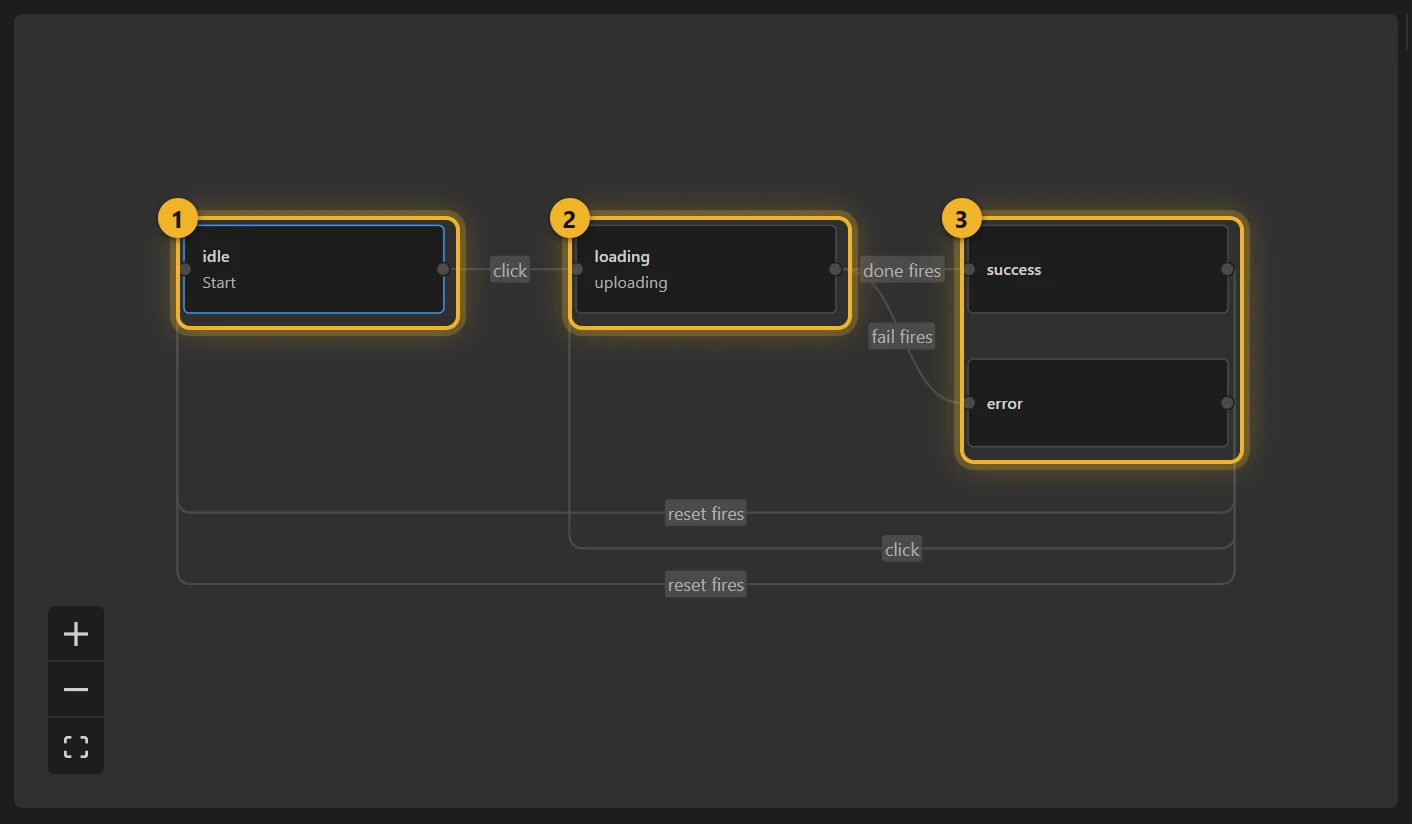
- idle 1 waits for a click and goes to loading 2, which loops.
- loading has two wires, one per answer: done fires → success, fail fires → error 3. Nothing in the animation fires them: your page does, when the work ends.
- error listens for the click again → loading: that is the retry. success and error both go back to idle on reset.
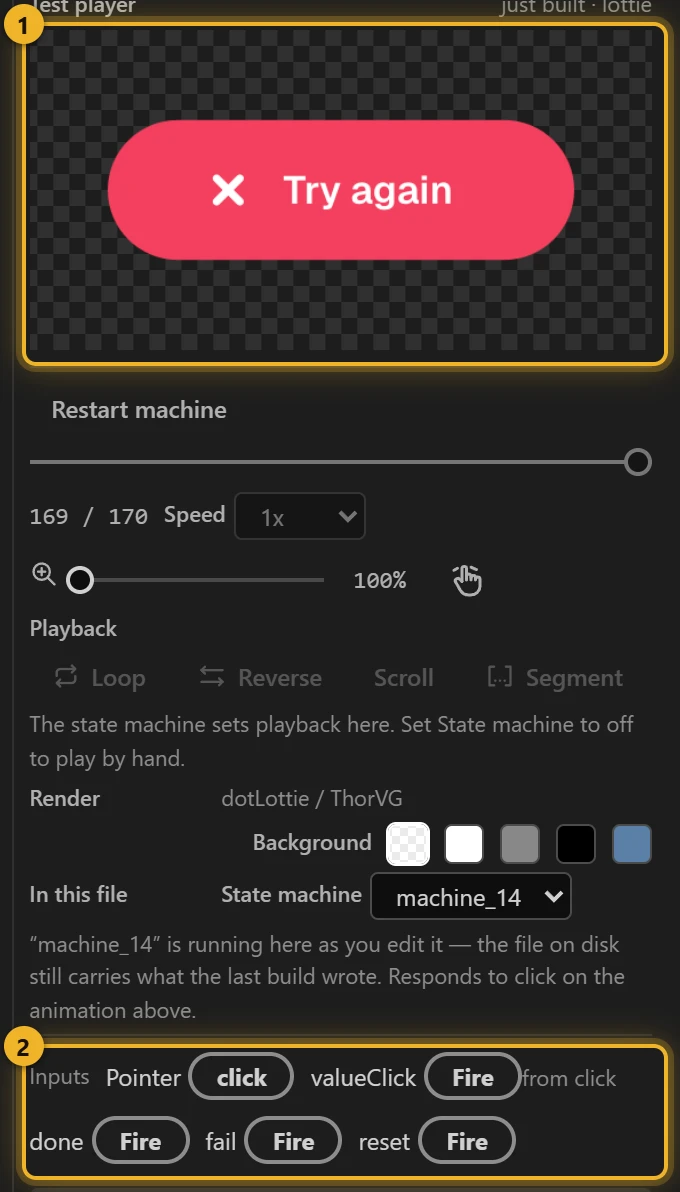
done, fail and reset are the file's API: plain names, no prefix, listed under Inputs for your page. The click's own event (valueClick) is plumbing.
4. Build and test
Press Build this comp, click the Test player 1, then Fire fail or done under Inputs 2.
5. On a web page
html
<canvas id="submit" width="320" height="120"></canvas>
<script type="module">
  import { DotLottie } from "https://cdn.jsdelivr.net/npm/@lottiefiles/dotlottie-web@0.81.0/+esm"; // the version these pages use
  const player = new DotLottie({ canvas: document.getElementById("submit"), src: "Submit button.lottie" });
  player.addEventListener("load", () => {
    player.stateMachineLoad("machine_14");
    player.stateMachineStart();
  });
  // The click itself is in the file; the page does the work when loading starts.
  player.addEventListener("stateMachineStateEntered", async (e) => {
    if (e.state !== "loading") return;
    try {
      await fetch("/upload", { method: "POST" });
      player.stateMachineFireEvent("done");
    } catch {
      player.stateMachineFireEvent("fail");
    }
  });
</script>
Variations
- Save, send, pay, subscribe: any action that can fail.
- Success should go back by itself after a moment? Add a wire from success to idle with the When 2 s pass.
- No failure case? Loading → done is the same without
error.